
Contextualizing
Volunteer
“I need to understand the exact benefits. If its helping me accelerate my school credits I’ll do it. I would like to ensure my safety as well and would not want to be overworked.”
Donor
“I would like to see the success stories of past students and understand the ground level situation before donating”
CEO
“We should stay small, focus on the cause than expand through numbers”
Parents of Underprivileged Children
“How can I trust the people coming in my area? How is my child’s safety being guarded? How is my child benefitting?”
Underprivileged Children
“I don't want to learn the same things I learn at school here. I will attend only if I can enjoy myself. I also want no strict teachers guiding me here.”
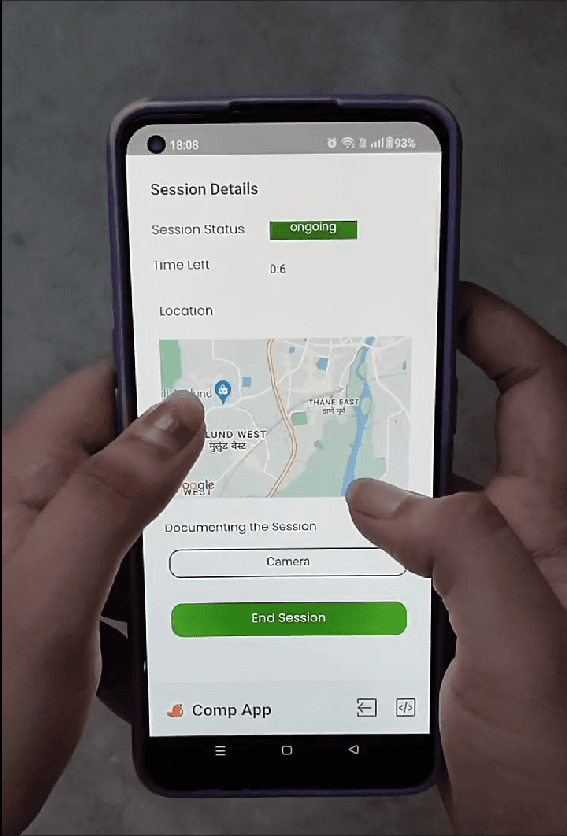
Session Details
Tracks the current details of the volunteering session including time, location, activity and allows for photo and video documentation.
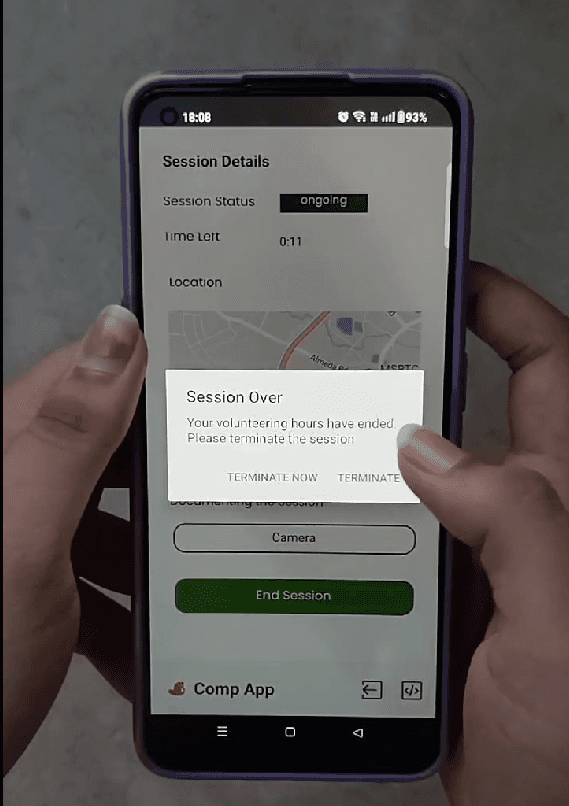
Session Over
The app flashes a warning that the allotted volunteering time is over and the volunteer should now promptly terminate the session.
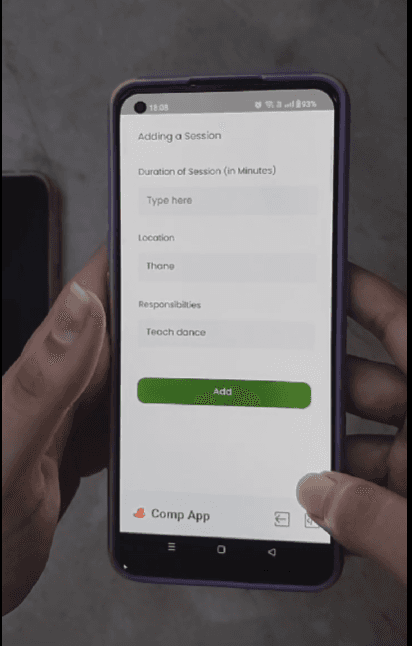
Adding a Session
The app auto fills information that has previously been inputted and ensures that the volunteers can keep a track of all their sessions for acquiring any school credits.
SOS Screens
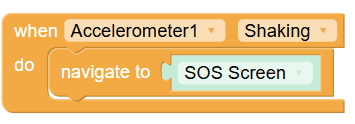
The SOS screen pops up after the user shakes their device. It has a clear CTA and minimal elements to ensure pace of action.
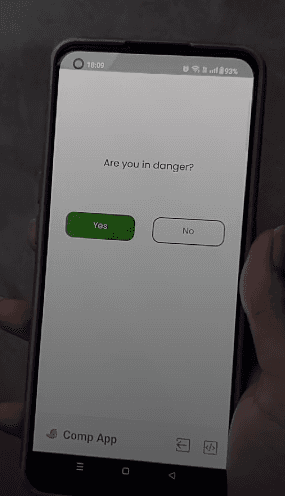
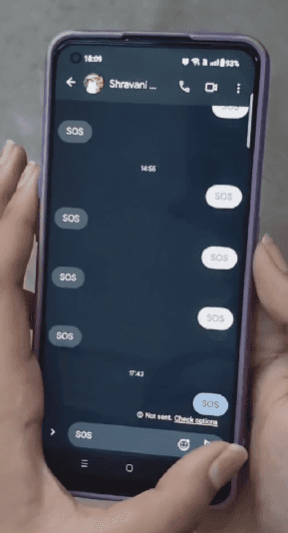
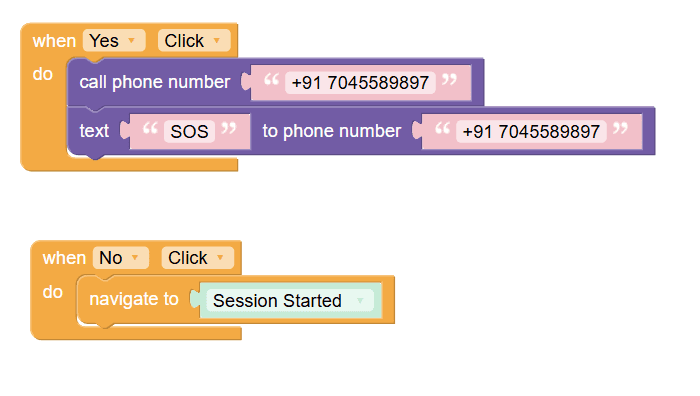
The current flow is coded such that the YES button allows the user to send an SOS message to a pre-programmed number.
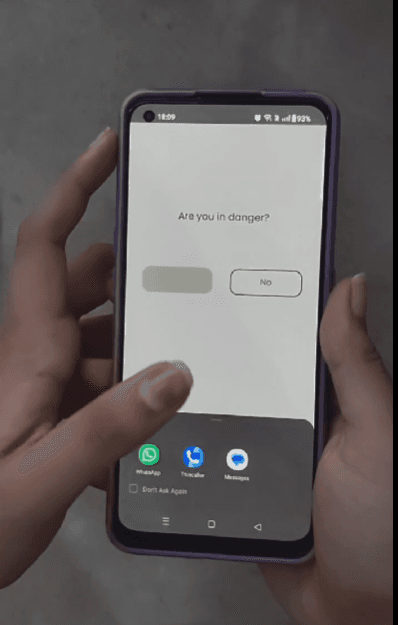
The message is already typed out and the user has to press the send button to relay the communication.
The Code
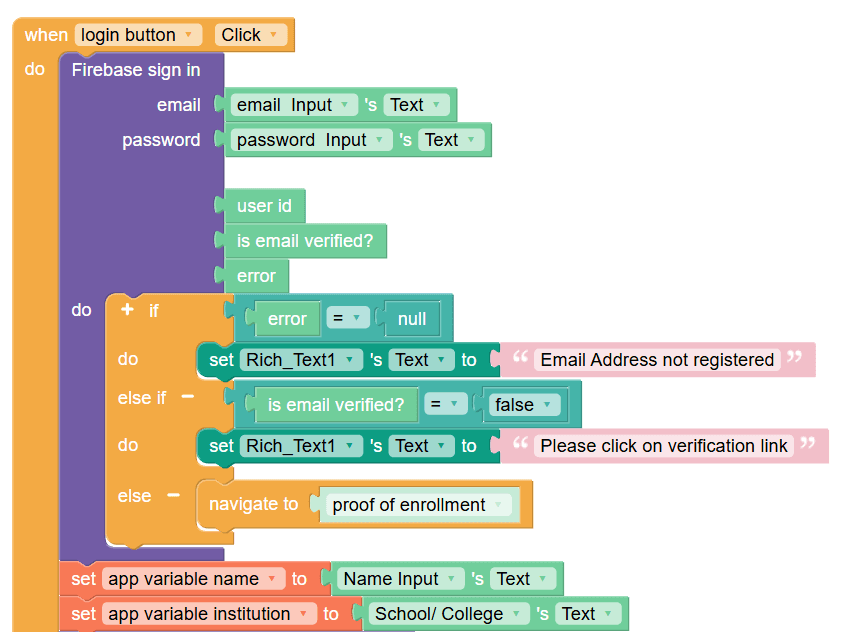
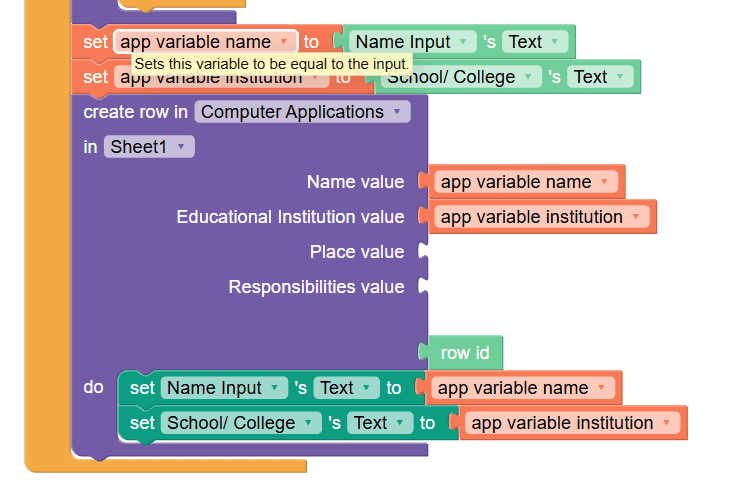
Connecting sign in to a firebase authenticator and adding new values to variables and data sheet
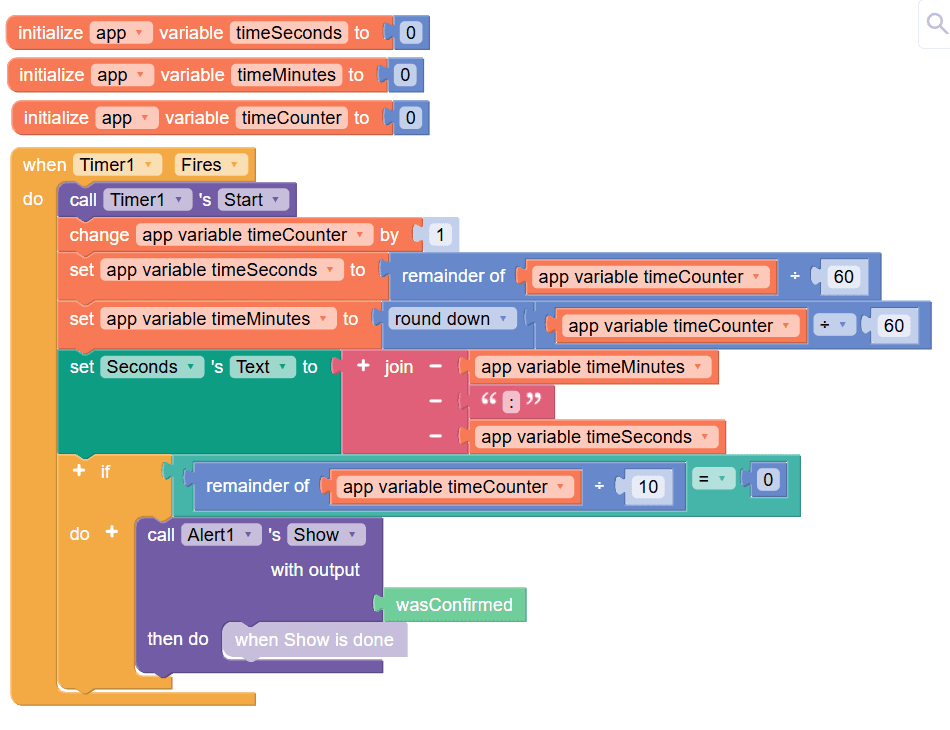
Inserting a timer to count down and restrict the volunteering hours of the volunteers. After a certain amount of time passes, the volunteer is asked to terminate the session.
Shaking the phone leads to a SOS screen popping up, where one can send SOS signal directly to the police.
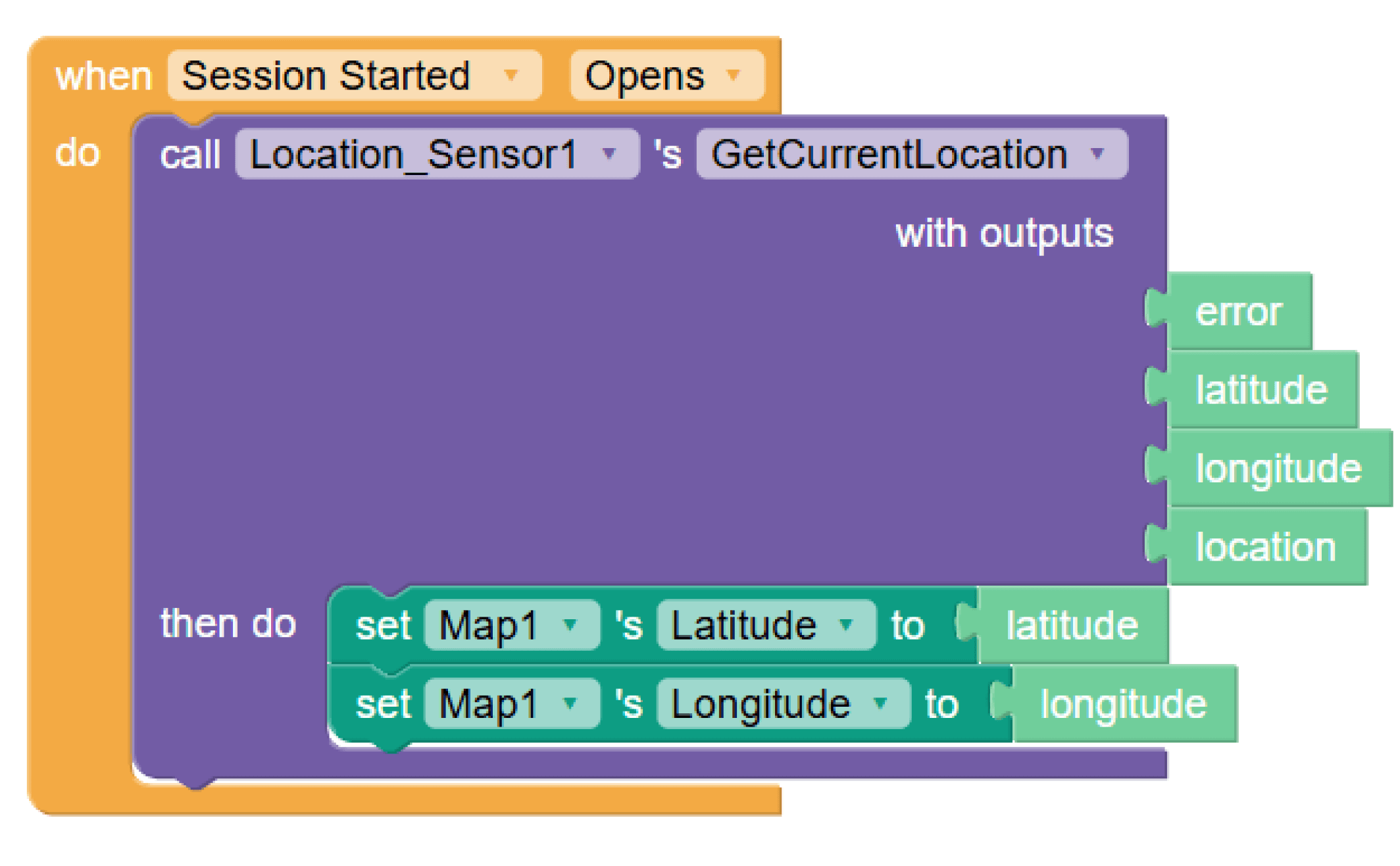
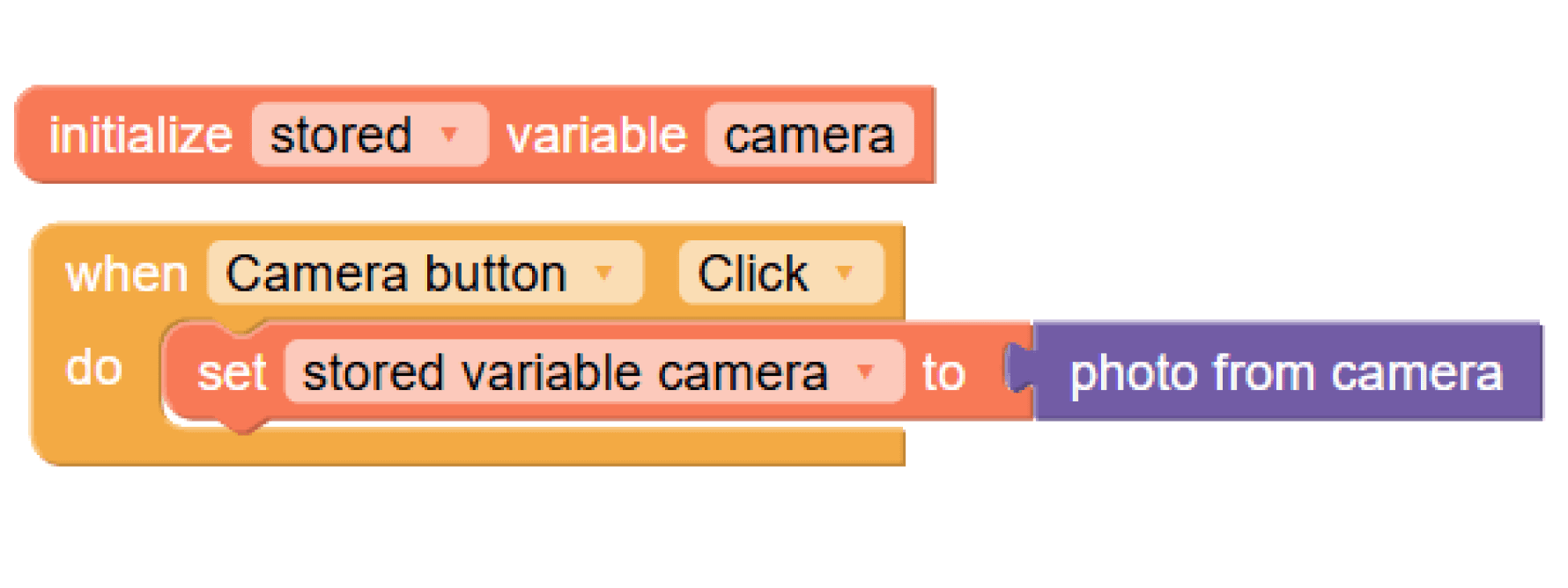
Using a location sensor to get the volunteer’s current location for ensuring their safety. Deployed only when the Session details screen is open. A camera to document the session while it is going on.