SRISHTIVERSE
SRISHTIVERSE
SRISHTIVERSE
A one stop platform for Srishti students.
A one stop platform for Srishti students.
A one stop platform for Srishti students.
A revamp of a scattered digital ecosystem of a university by synthesizing relevant features across different platforms into a single cohesive and easy-to-use platform for students.
A revamp of a scattered digital ecosystem of a university by synthesizing relevant features across different platforms into a single cohesive and easy-to-use platform for students.
A revamp of a scattered digital ecosystem of a university by synthesizing relevant features across different platforms into a single cohesive and easy-to-use platform for students.
Shravani Agashe
Sanjana Bhoopathi
Pratiti Katakol
Anoushka Goel
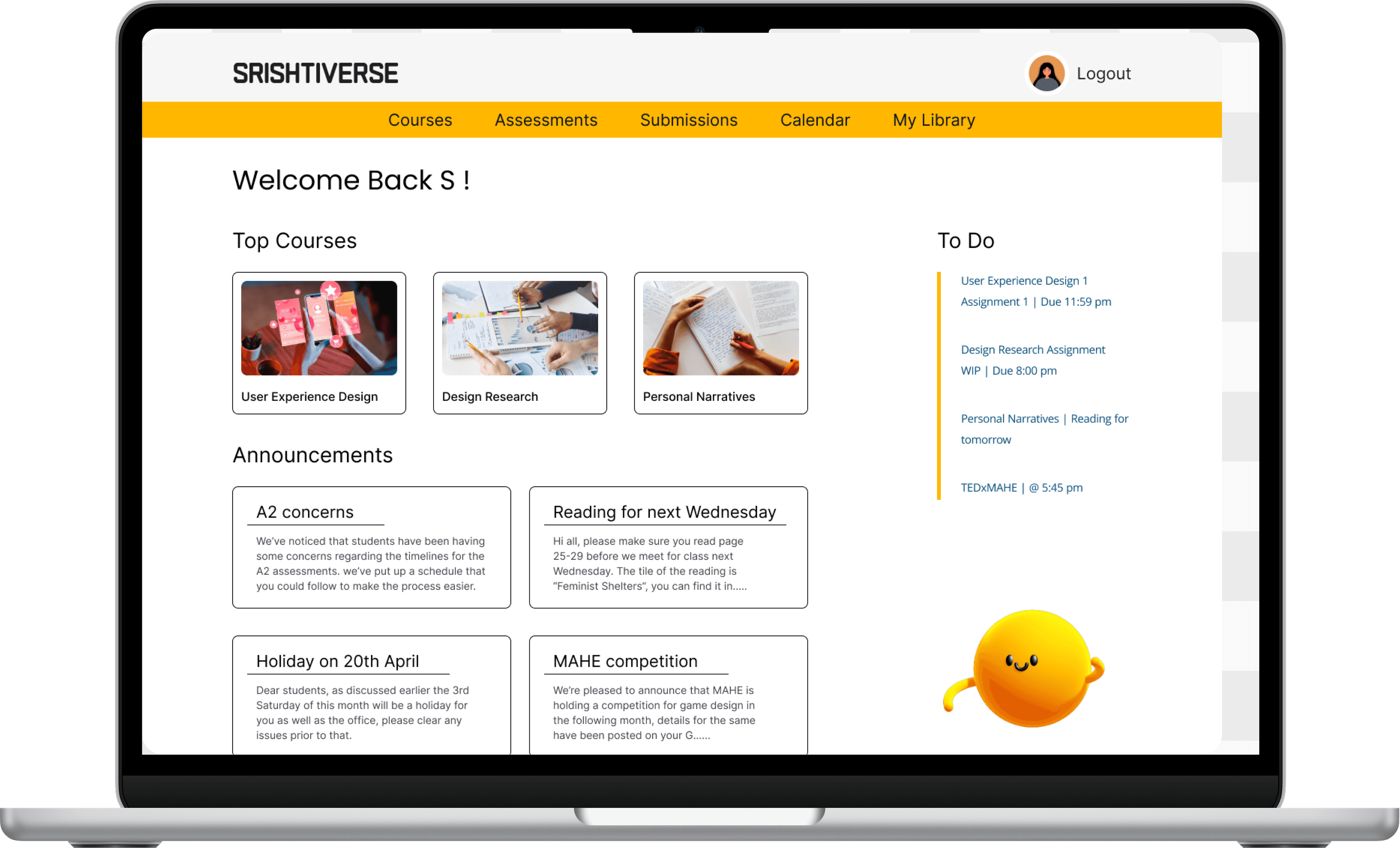
Building blocks of the project
Building blocks of the project
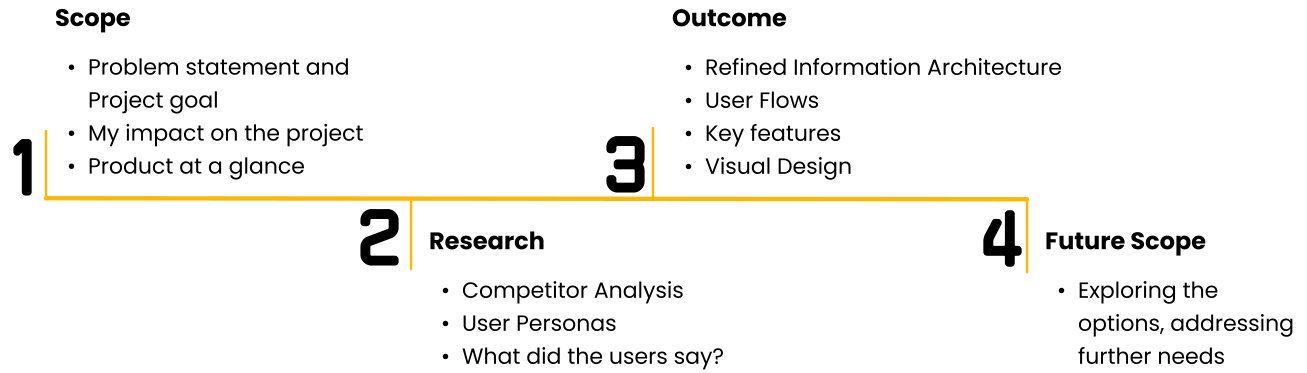
Scope > Research > Outcome > Future Scope
Scope > Research > Outcome > Future Scope
Problem Statement
Problem Statement
Problem Statement
The students of Srishti face significant clutter and confusion within their college's digital ecosystem. With a multitude of platforms serving different functions, from assignment submission to course materials, navigating the system has become unnecessarily complex.
Even simple tasks like submitting assignments are plagued with confusion and lack of harmony.
This hinders productivity and disrupt the learning process, necessitating a solution to streamline and simplify the digital experience for Srishti's students.
The students of Srishti face significant clutter and confusion within their college's digital ecosystem. With a multitude of platforms serving different functions, from assignment submission to course materials, navigating the system has become unnecessarily complex.
Even simple tasks like submitting assignments are plagued with confusion and lack of harmony.
This hinders productivity and disrupt the learning process, necessitating a solution to streamline and simplify the digital experience for Srishti's students.
The students of Srishti face significant clutter and confusion within their college's digital ecosystem. With a multitude of platforms serving different functions, from assignment submission to course materials, navigating the system has become unnecessarily complex.
Even simple tasks like submitting assignments are plagued with confusion and lack of harmony.
This hinders productivity and disrupt the learning process, necessitating a solution to streamline and simplify the digital experience for Srishti's students.
Project Goal
Project Goal
Project Goal
The redesign aims at making a functional website for an ideal scenario. The aim is for this design to inform what the Srishti students would ideally need from a college-student interaction platform.
We have attempted to integrate features that we observed are integral in enhancing a student’s experience with the platform via primary and secondary research.
The redesign aims at making a functional website for an ideal scenario. The aim is for this design to inform what the Srishti students would ideally need from a college-student interaction platform.
We have attempted to integrate features that we observed are integral in enhancing a student’s experience with the platform via primary and secondary research.
The redesign aims at making a functional website for an ideal scenario. The aim is for this design to inform what the Srishti students would ideally need from a college-student interaction platform.
We have attempted to integrate features that we observed are integral in enhancing a student’s experience with the platform via primary and secondary research.
My Impact on the Project
My Impact on the Project
Conducting User Research in the form of Interviews.
Analyzing Information Architecture and conducting a feature to feature competitor analysis.
Developing User Flows.
Creating paper wireframes.
Creating wireframes on Figma for the Courses page.
Visual Design and Interactions across the prototype.
Conducting User Research in the form of Interviews.
Analyzing Information Architecture and conducting a feature to feature competitor analysis.
Developing User Flows.
Creating paper wireframes.
Creating wireframes on Figma for the Courses page.
Visual Design and Interactions across the prototype.
Srishtiverse at a glance
Srishtiverse at a glance
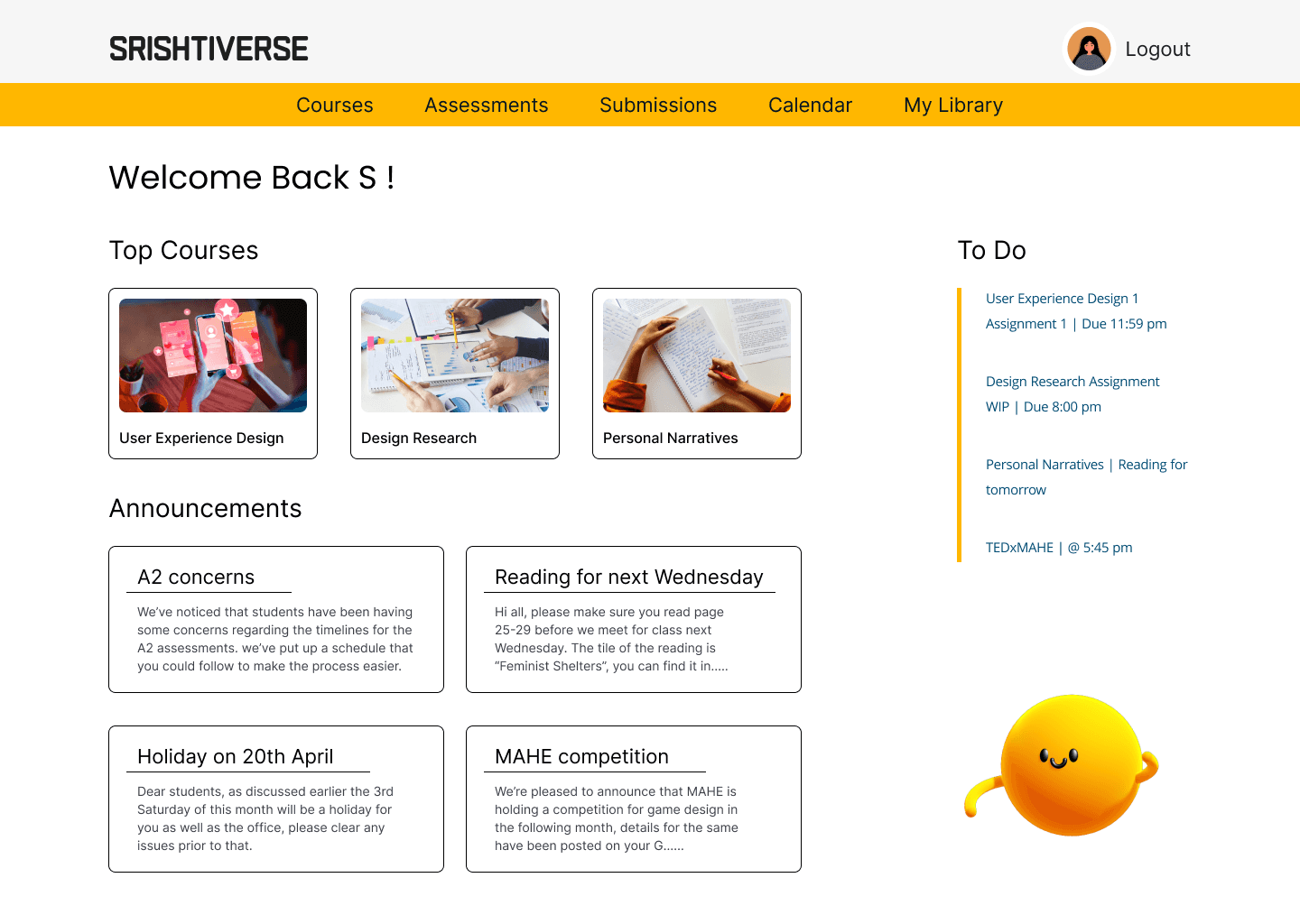
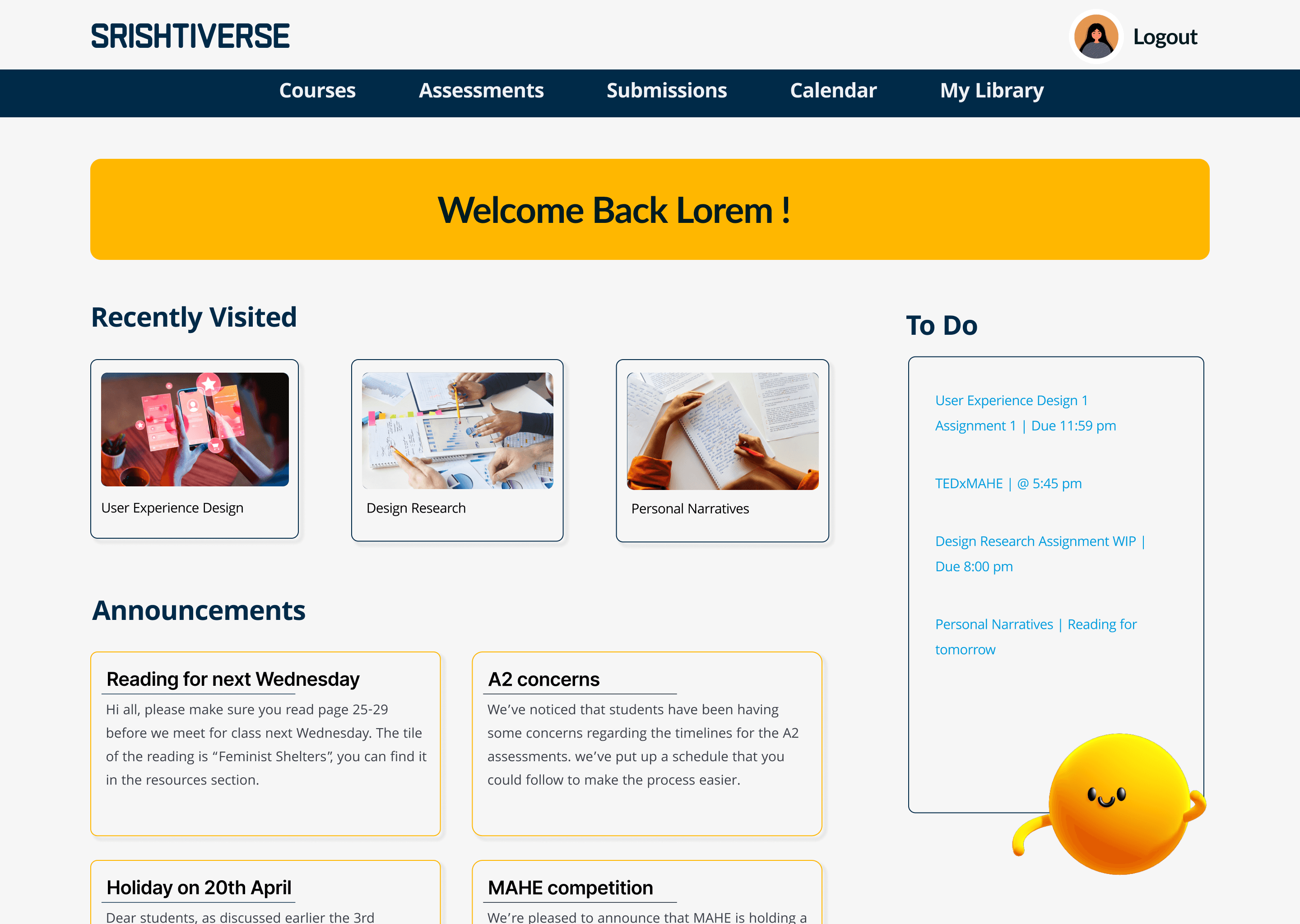
Homepage of Student Portal
The design gives the student easy access to features frequently used by them. It also gives them an overview of pending submissions and events to help plan their schedule better.
Homepage of Student Portal
The design gives the student easy access to features frequently used by them. It also gives them an overview of pending submissions and events to help plan their schedule better.
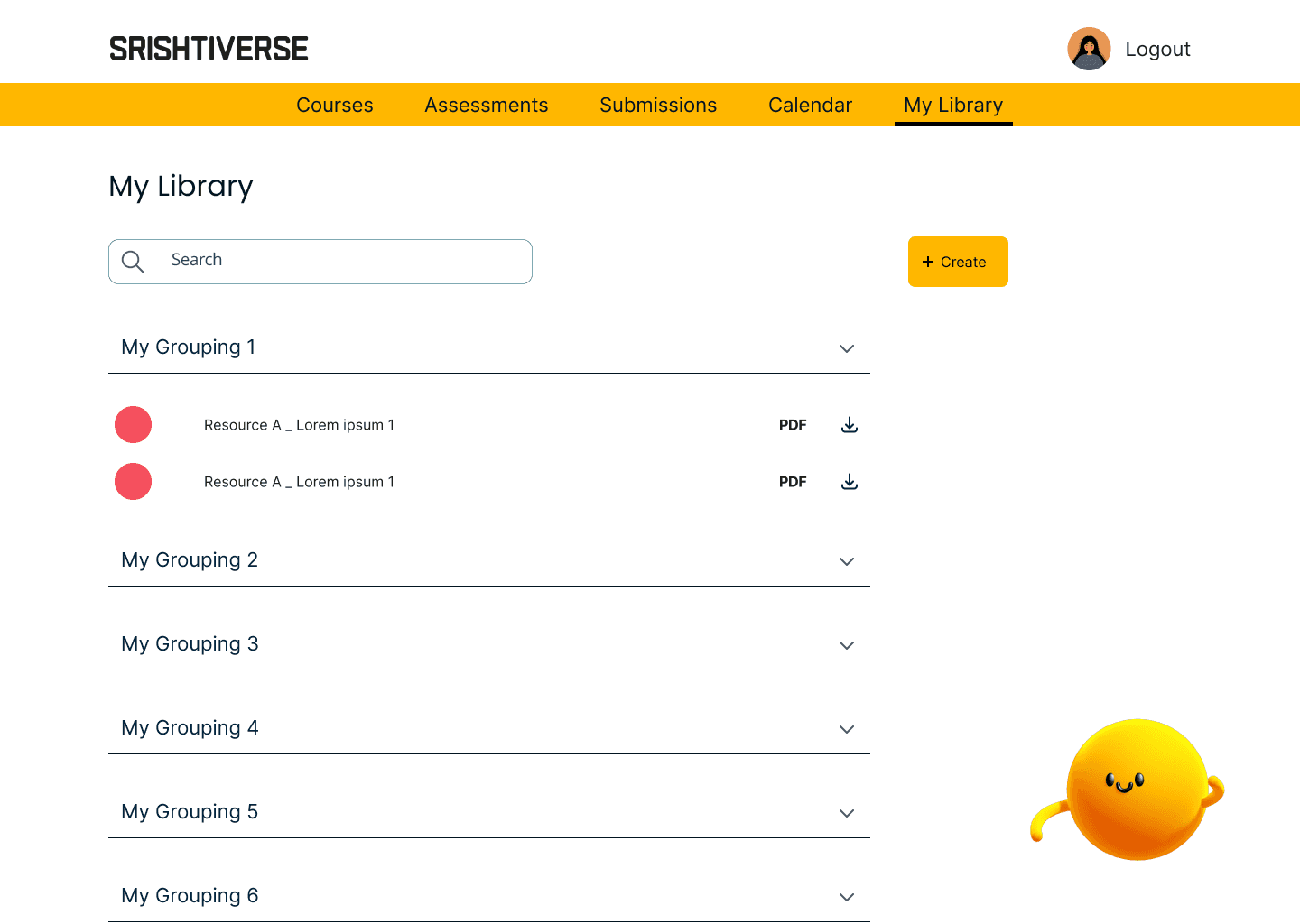
Curated, customizable library of resources on the portal
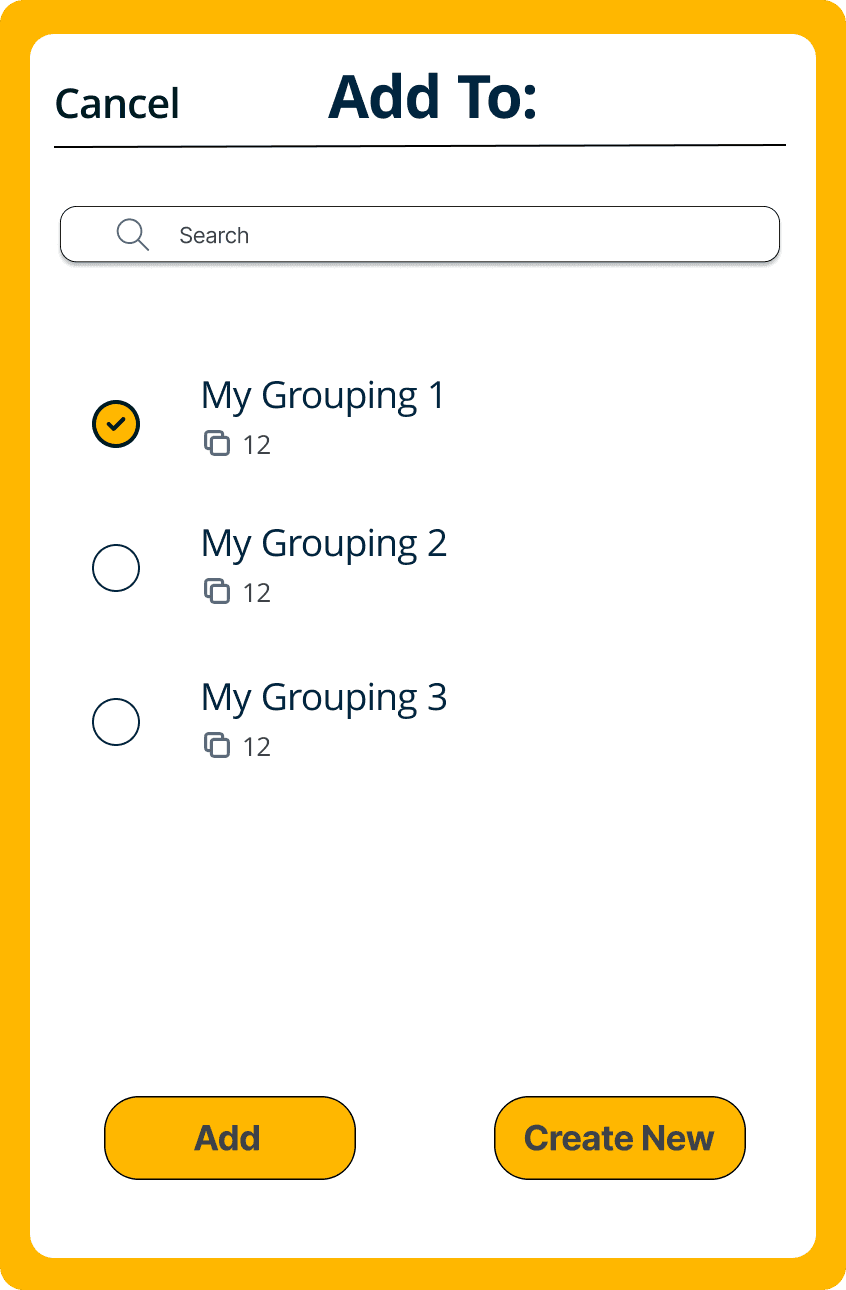
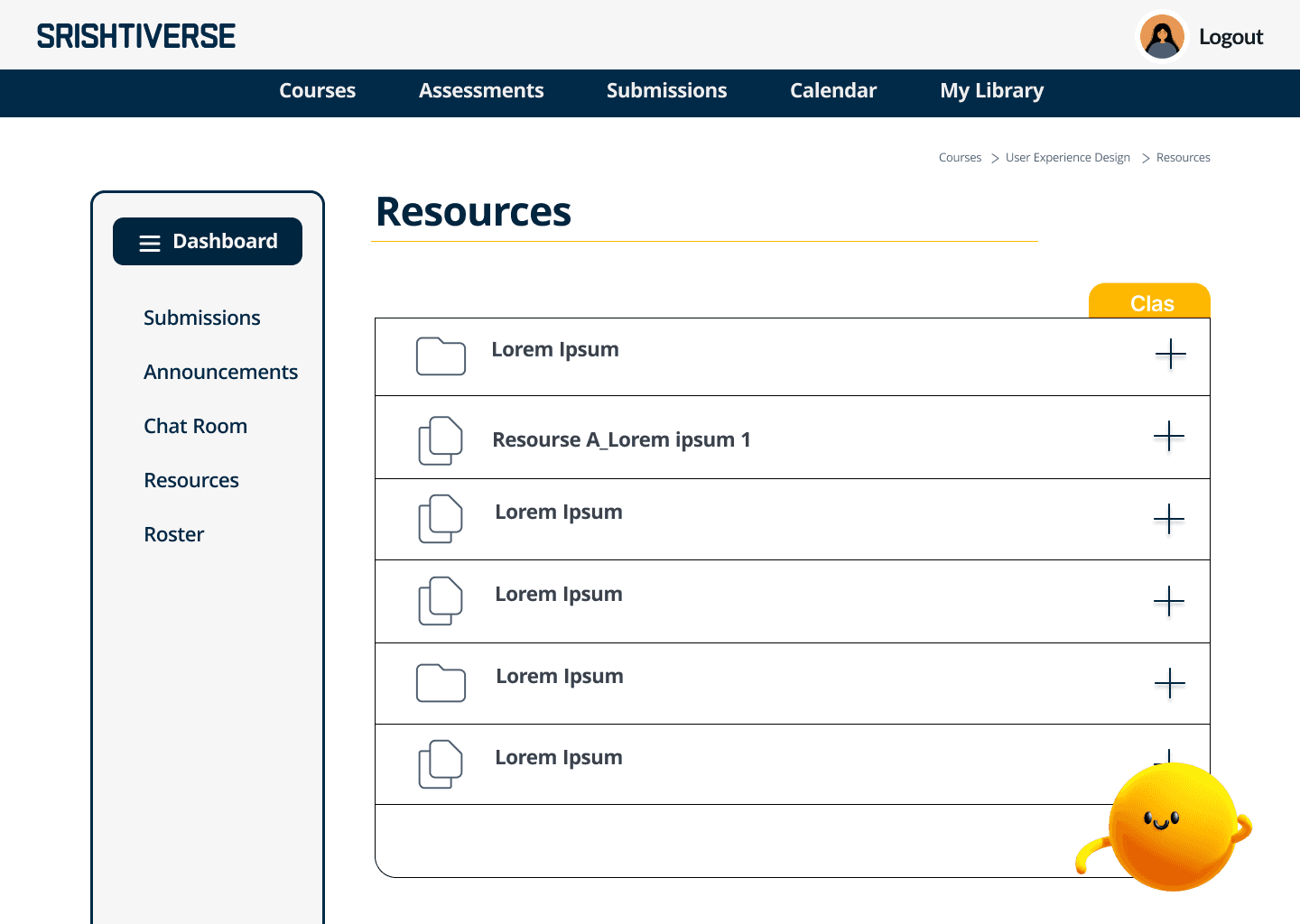
My Library lets students build a collaborative or individual repository of shared class resources, downloadable upon graduation.
Curated, customizable library of resources on the portal
My Library lets students build a collaborative or individual repository of shared class resources, downloadable upon graduation.
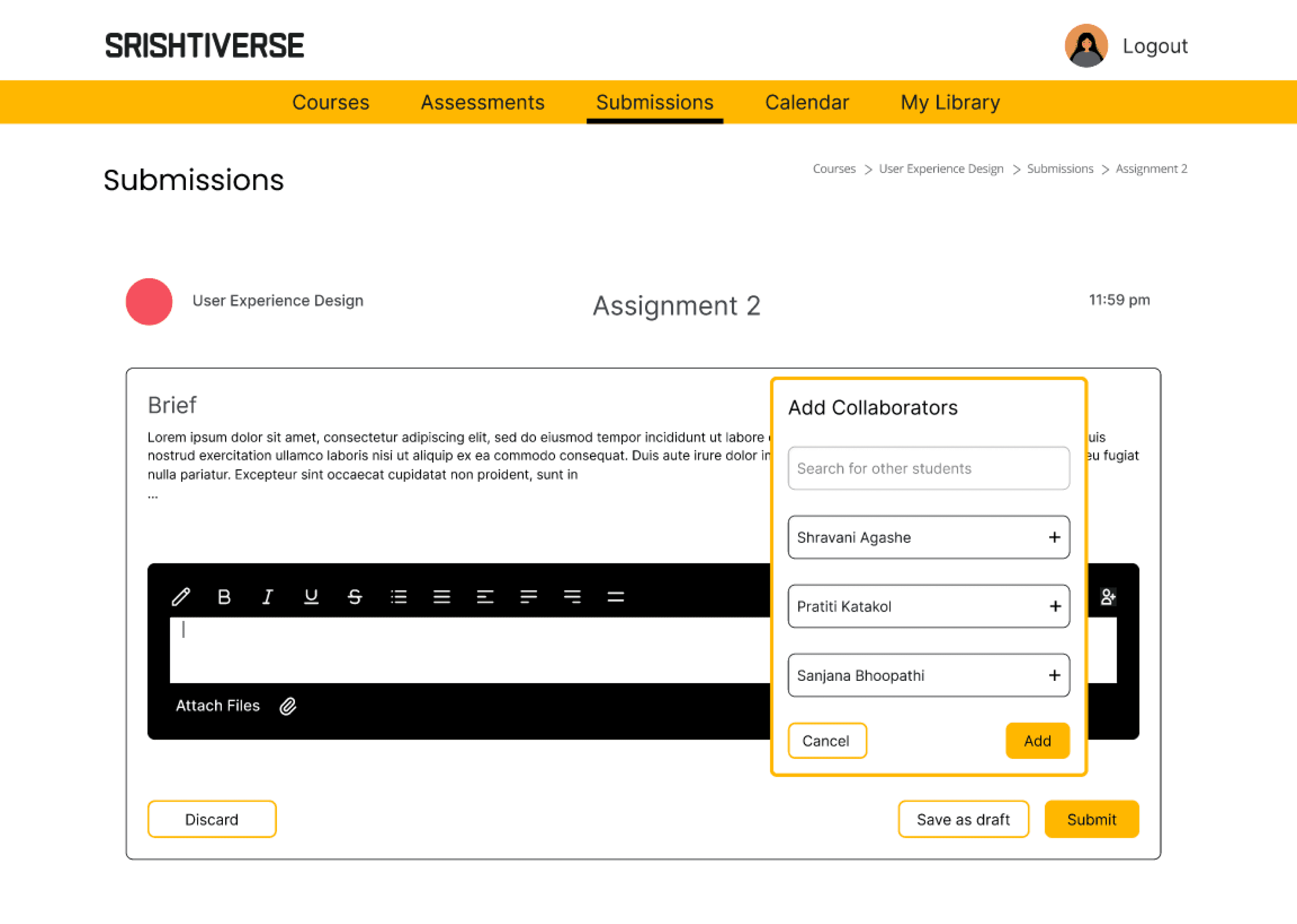
Collaborative Submissions
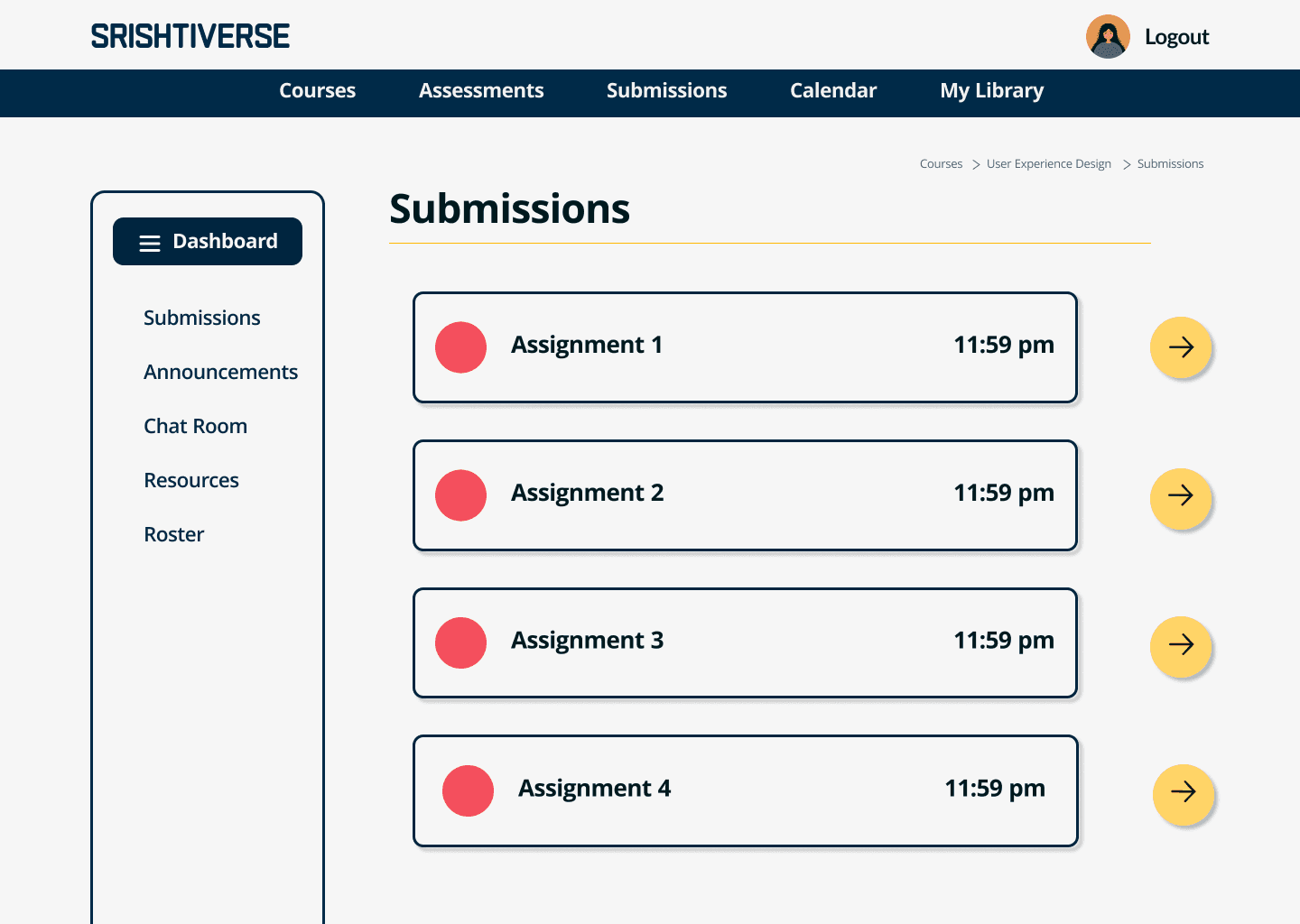
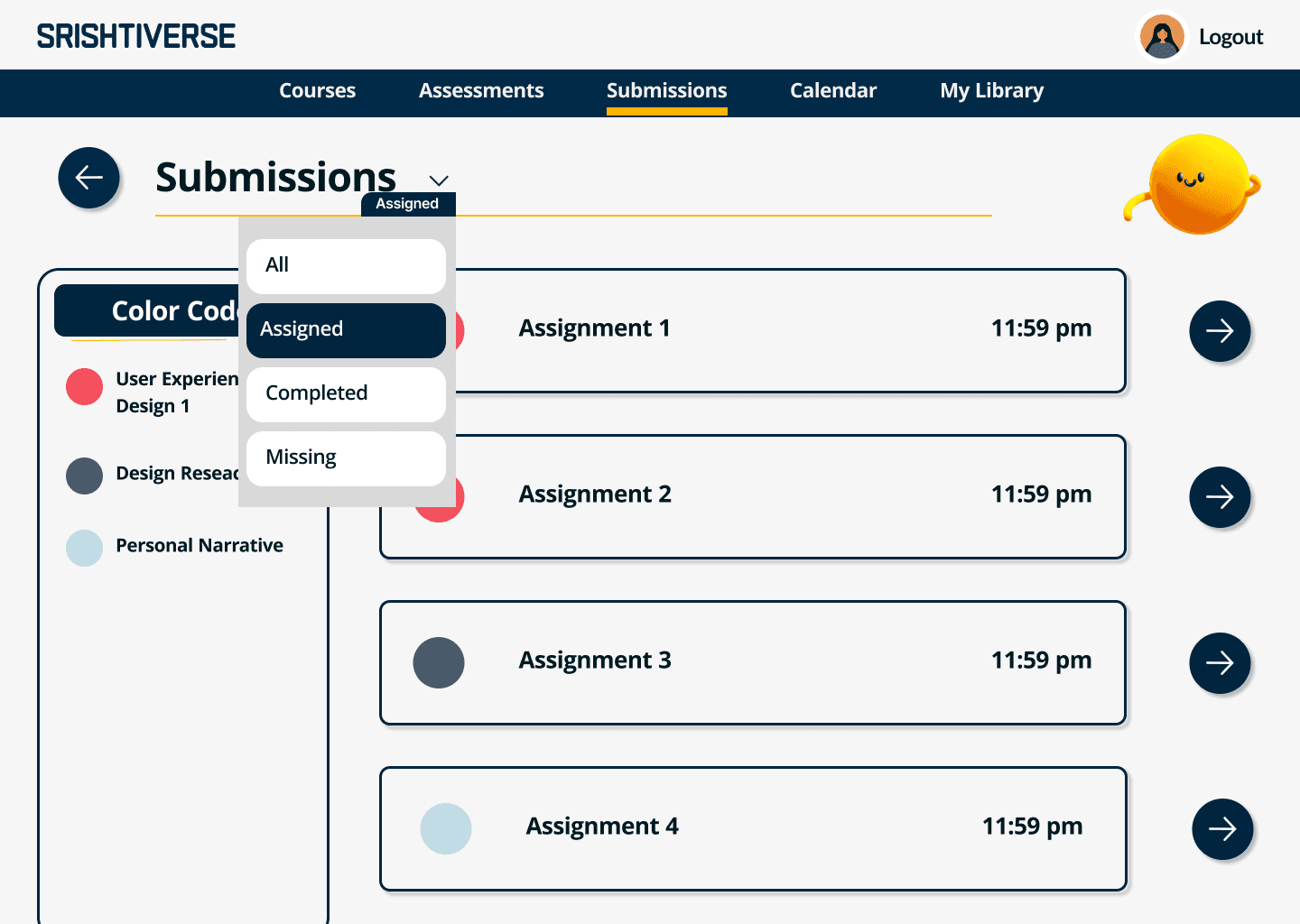
Group projects are integral to college life. The collaborative submissions feature streamlines this by allowing a single submission for all members in the same organization.
Collaborative Submissions
Group projects are integral to college life. The collaborative submissions feature streamlines this by allowing a single submission for all members in the same organization.
Scope > Research > Outcome > Future Scope
Scope > Research > Outcome > Future Scope
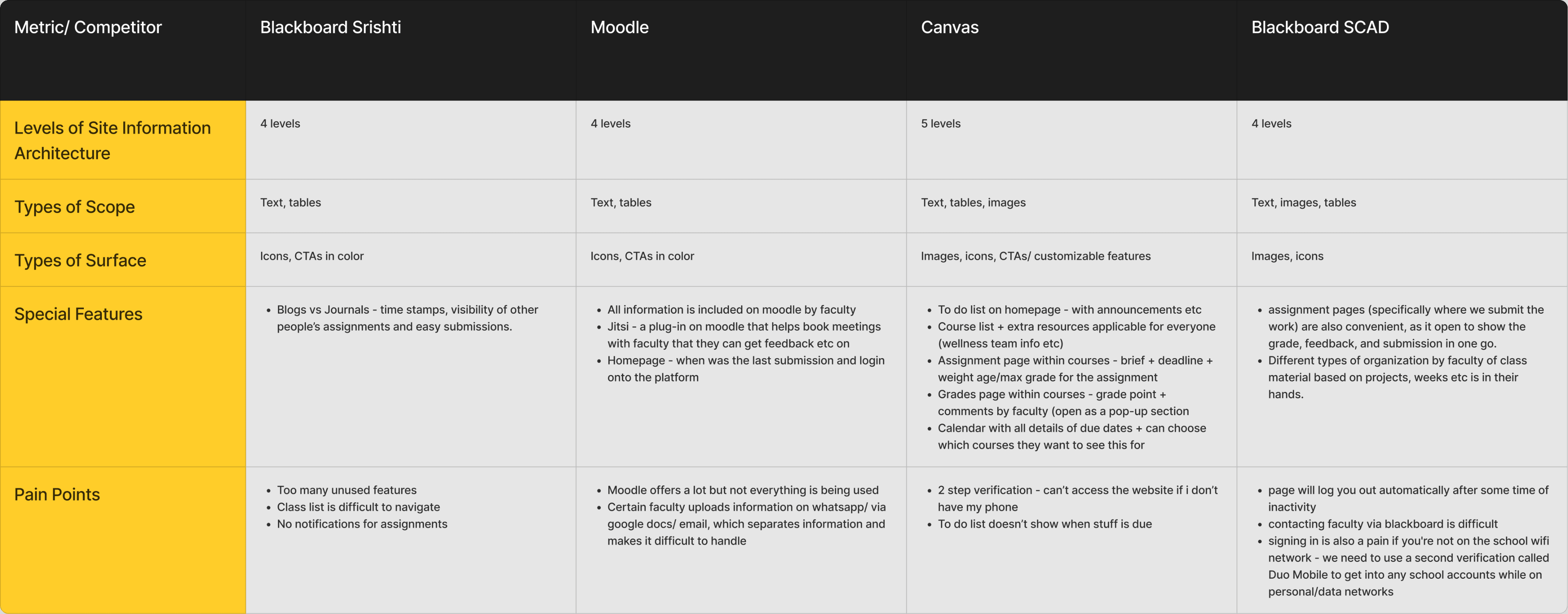
What can we learn from competitors?
What can we learn from competitors?
Conducting a competitor analysis provided the following insights:
Recognition that an organization’s structure significantly impacts the experience students have while interacting with such platforms.
The experiences of students at other institutes.
Potential opportunities and possibilities in similar spaces.
Identification of additional functionalities that could enhance the overall user experience.
A broader understanding of common student pain points to ensure comprehensive coverage.
Conducting a competitor analysis provided the following insights:
Recognition that an organization’s structure significantly impacts the experience students have while interacting with such platforms.
The experiences of students at other institutes.
Potential opportunities and possibilities in similar spaces.
Identification of additional functionalities that could enhance the overall user experience.
A broader understanding of common student pain points to ensure comprehensive coverage.
Who are we designing for?
Who are we designing for?
The user personas gave us a direction in the problem solving by helping us to prioritize issues. The solutions created catered to the pain-points faced particularly by these two groups in our stakeholders.
The user personas gave us a direction in the problem solving by helping us to prioritize issues. The solutions created catered to the pain-points faced particularly by these two groups in our stakeholders.
Rookie Riya
Novice Users
1st year UG and PG
Rookie Riya
Novice Users
1st year UG and PG
A new user of the platforms who has just been introduced to the Srishti Digital Eco-System.
A new user of the platforms who has just been introduced to the Srishti Digital Eco-System.
Goals
Goals
To get comfortable with the ecosystem
Submit assignments
Knowing class brief, class mates and faculty
To get comfortable with the ecosystem
Submit assignments
Knowing class brief, class mates and faculty
Frustrations
Frustrations
Lack of notifications from Blackboard
Difficult to keep track of links and logins for multiple websites
Difficult to use on phone
Outlook doesn’t send notifications - we end up using Whatsapp
Lack of notifications from Blackboard
Difficult to keep track of links and logins for multiple websites
Difficult to use on phone
Outlook doesn’t send notifications - we end up using Whatsapp
Seasoned Sana
Experienced Users
Year 2-4 UG
Seasoned Sana
Experienced Users
Year 2-4 UG
She is a more experienced user who is familiar with the software and interfaces. She has explored highly specific features of these sites.
She is a more experienced user who is familiar with the software and interfaces. She has explored highly specific features of these sites.
Goals
Goals
Submit assignments
Check performance
Keep track of communication
Referring to resources
Class Sign-ups
Submit assignments
Check performance
Keep track of communication
Referring to resources
Class Sign-ups
Frustrations
Frustrations
Too many unused features on Blackboard
Switching portals is difficult
I don’t know when assignments are due
Outlook constantly logs me out
Too many unused features on Blackboard
Switching portals is difficult
I don’t know when assignments are due
Outlook constantly logs me out
What did users say?
What did users say?
01
01
“Why can’t we have just the 3 main features of blackboard in one place - content, blogs and journals, because there are so many features we just don’t use its very heavy”
“Why can’t we have just the 3 main features of blackboard in one place - content, blogs and journals, because there are so many features we just don’t use its very heavy”
02
02
“Easier communication with faculty would be nice, because right now we’re using WhatsApp even with faculty for our classes, because we get notifications and it’s easy to check, which you don’t get with blackboard and outlook.”
“Easier communication with faculty would be nice, because right now we’re using WhatsApp even with faculty for our classes, because we get notifications and it’s easy to check, which you don’t get with blackboard and outlook.”
03
03
“Everything should be clubbed into one”
“Everything should be clubbed into one”
04
04
“I use Srishti website only to check the faculty.”
“I use Srishti website only to check the faculty.”
05
05
“Lot of disorganization and time consuming to have so many portals”
“Lot of disorganization and time consuming to have so many portals”
Scope > Research > Outcome > Future Scope
Scope > Research > Outcome > Future Scope
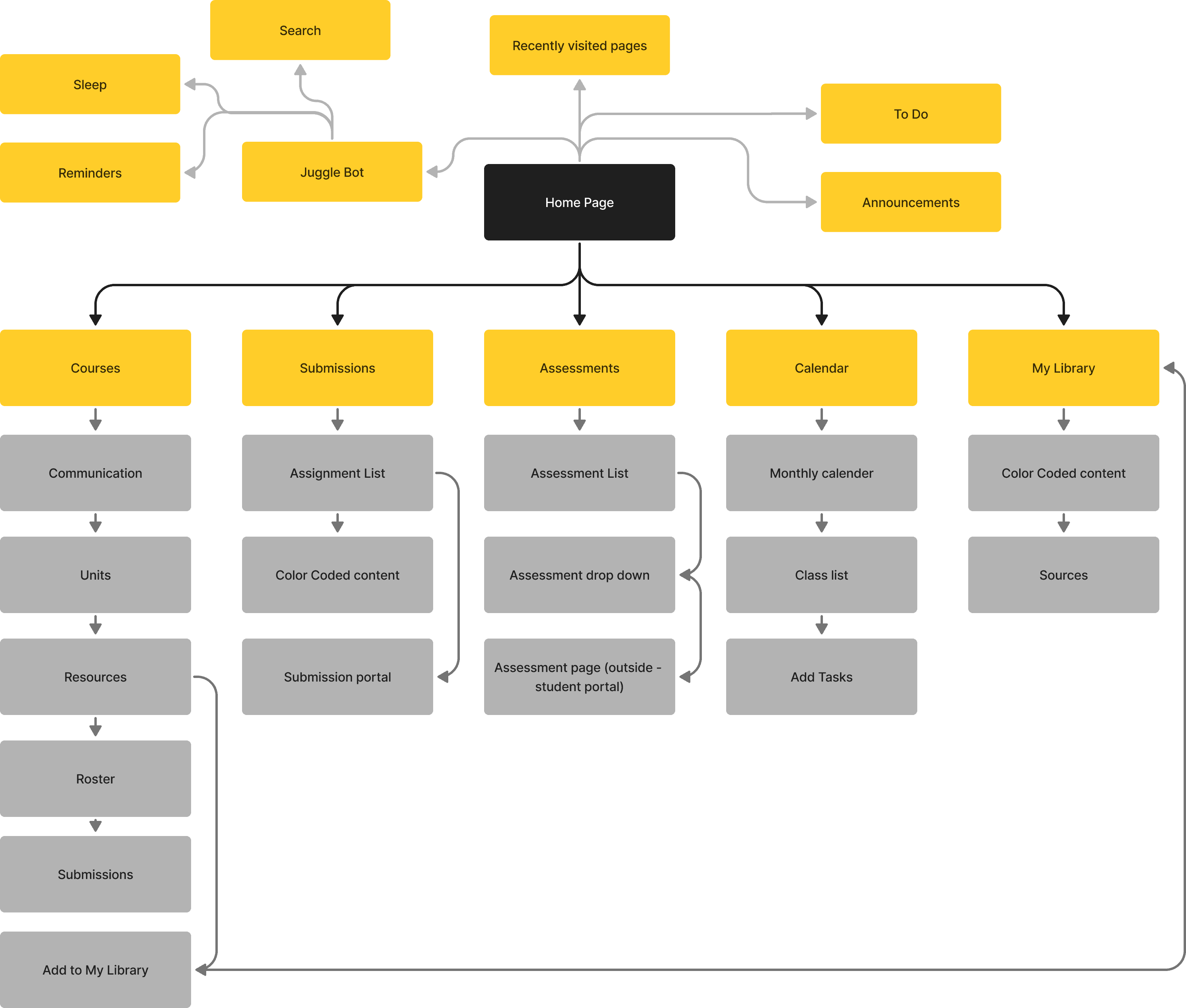
How is everything structured?
How is everything structured?
The current environment of the student platform had a very complicated and crowded navigation. This resulted in more unnecessary time spent on the platform and as a consequence high user frustration. The focus of making the Information Architecture was to clean up the navigation by cutting down on unused features and establishing shorter pathways.
The current environment of the student platform had a very complicated and crowded navigation. This resulted in more unnecessary time spent on the platform and as a consequence high user frustration. The focus of making the Information Architecture was to clean up the navigation by cutting down on unused features and establishing shorter pathways.
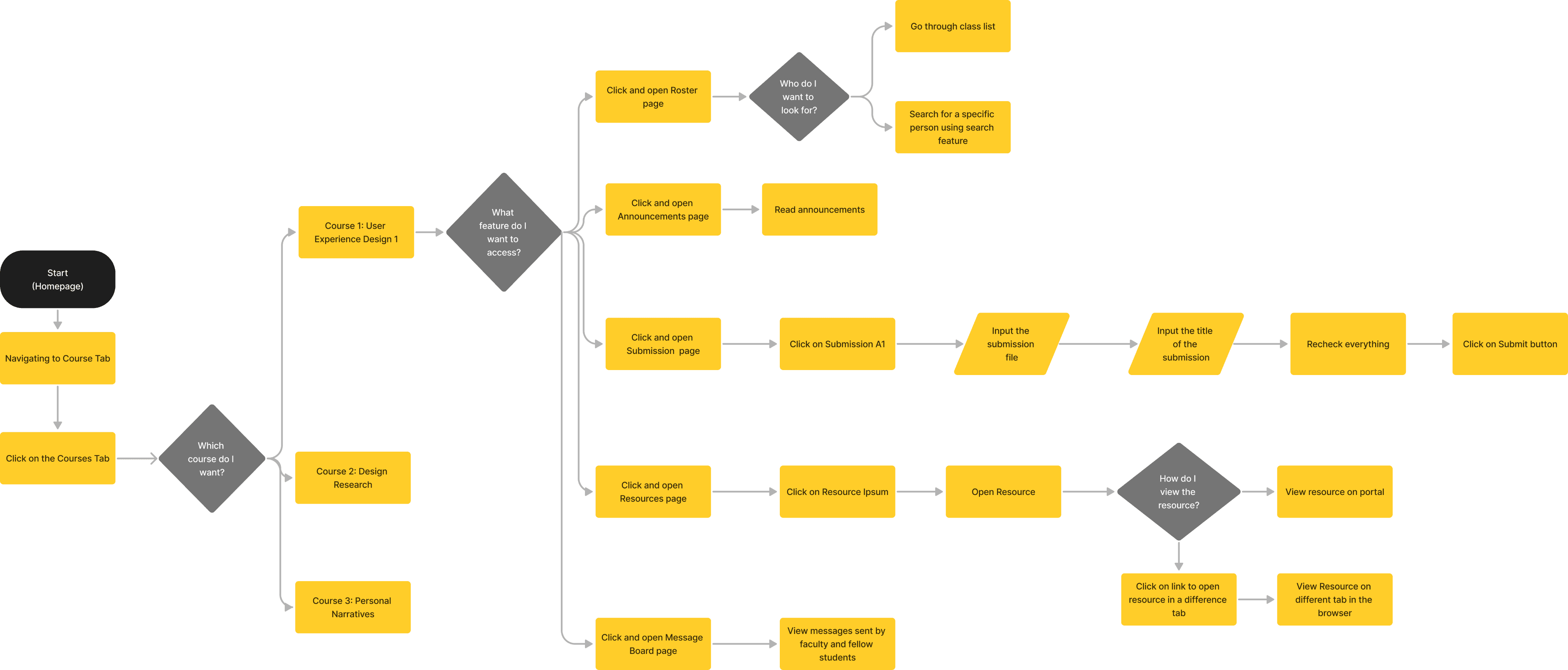
How do users interact with the system?
How do users interact with the system?
I worked specifically on the user flow for the courses page. My focus was for the student to have access to most features they might need in one screen itself.
I worked specifically on the user flow for the courses page. My focus was for the student to have access to most features they might need in one screen itself.
Low Fidelity Iterations
Low Fidelity Iterations
These were the initial versions of the layout. They laid the basis for my further layouts with changes done in sizing and type.
These were the initial versions of the layout. They laid the basis for my further layouts with changes done in sizing and type.
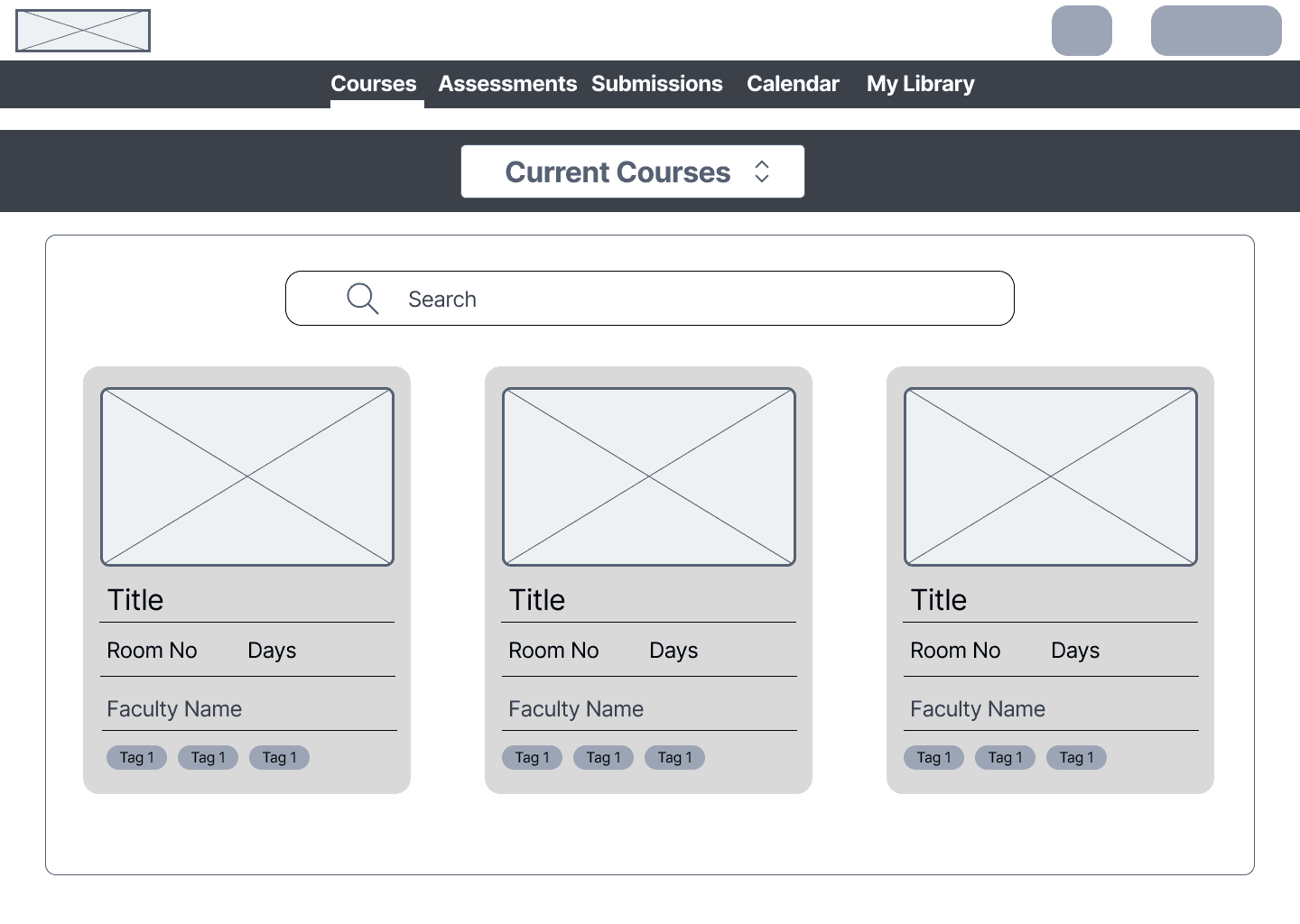
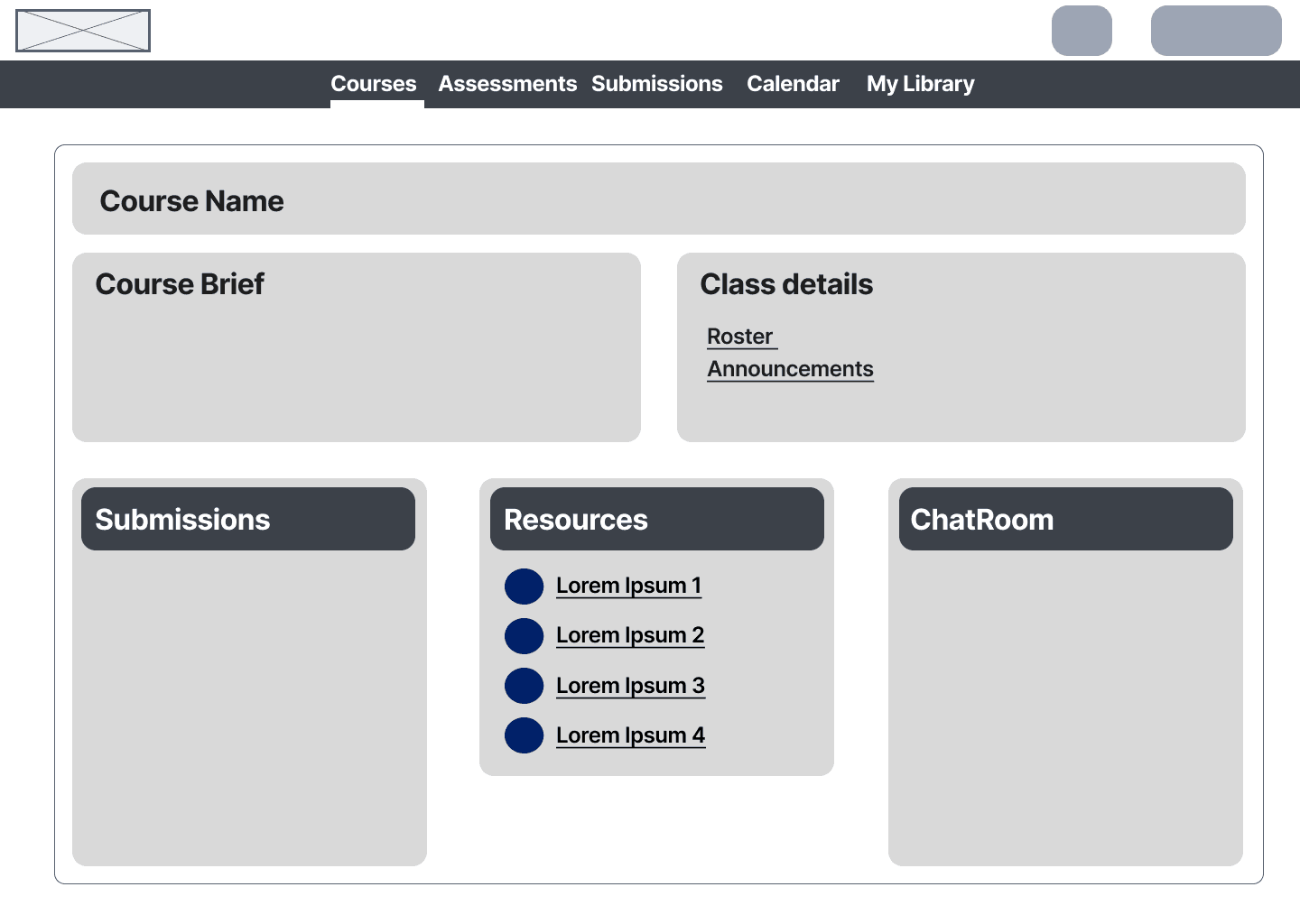
Experiments with colour
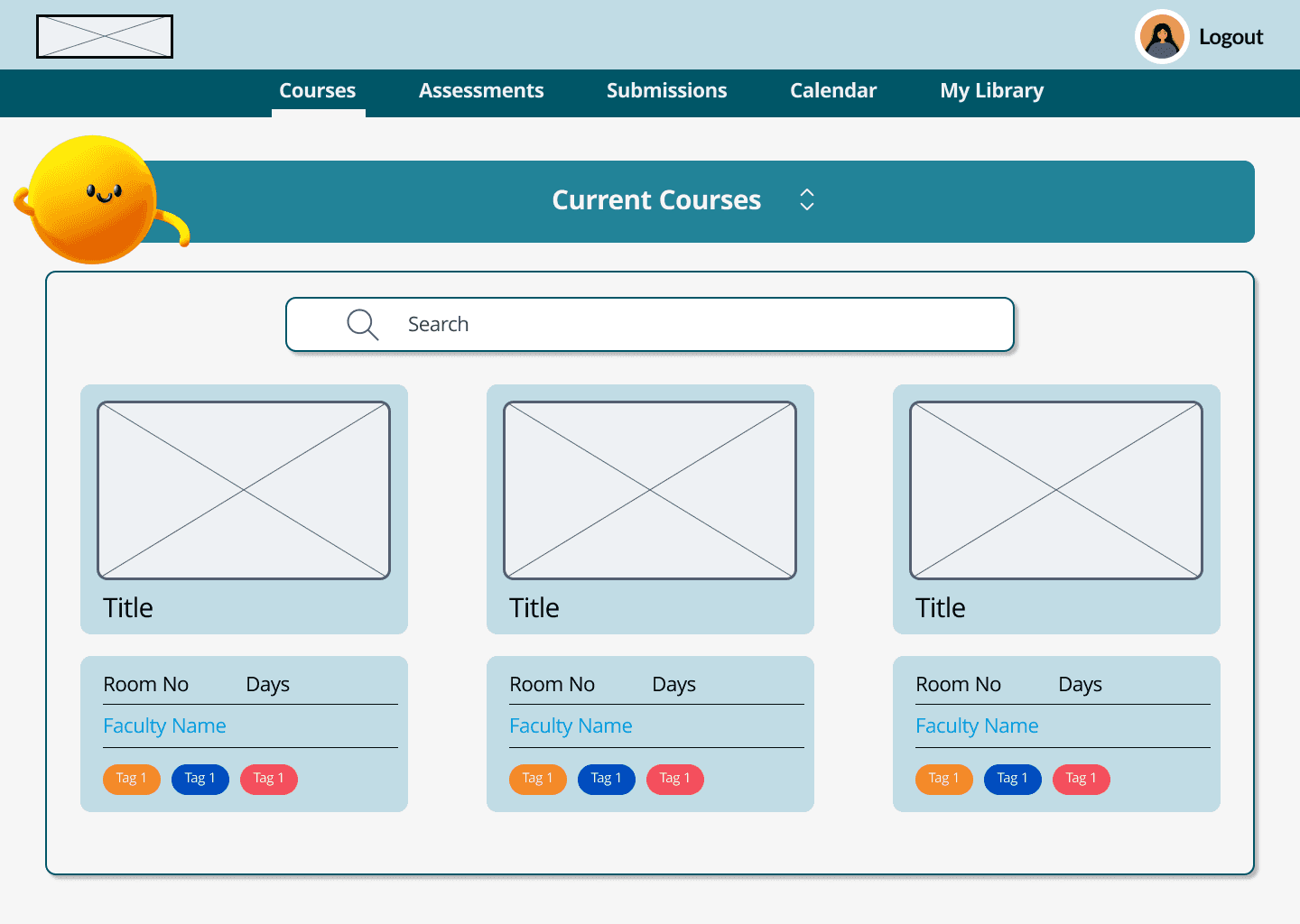
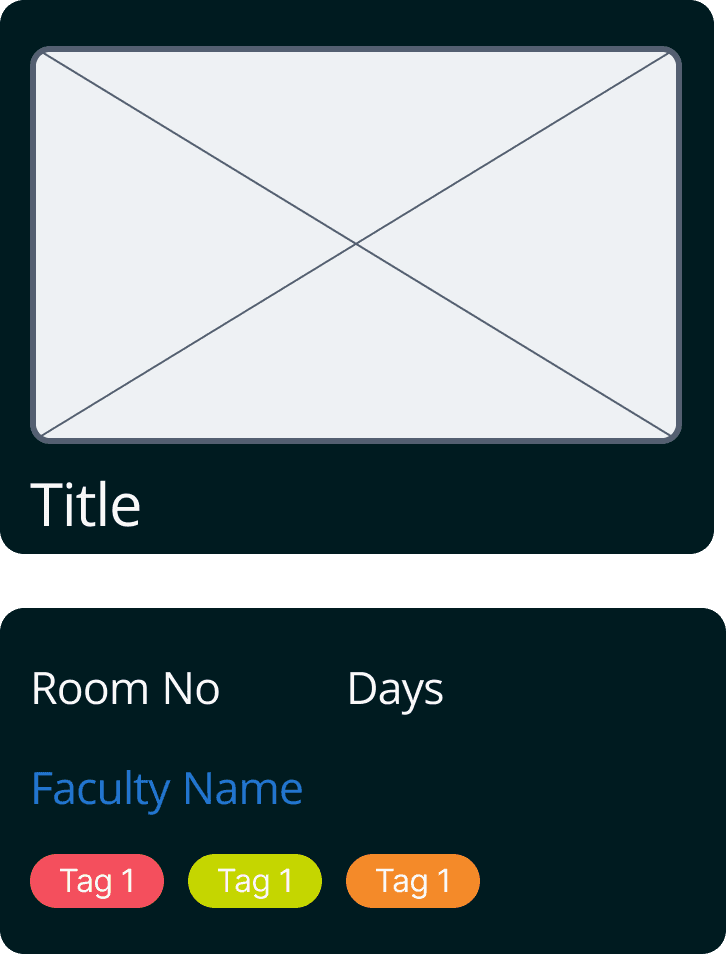
Experiments with colour, layout and content. We played around with elements here. Discussing their usage, need and functionalities. Our conversations revolved around keeping the interface simple but not taking away necessary features. I focused on efficiency achieved through this particular flow as students frequently need to make submissions which many times, is a time bound activity.
Experiments with colour, layout and content. We played around with elements here. Discussing their usage, need and functionalities. Our conversations revolved around keeping the interface simple but not taking away necessary features. I focused on efficiency achieved through this particular flow as students frequently need to make submissions which many times, is a time bound activity.
Visual Design
Visual Design
Seasalt
#F6F6F6
Background
Mustard
#FFC467
Sunglow
#FFCA44
Selective Yellow
#FFB700
Rich Black
#001B20 Text

Submit
Main CTAs
Primary Colours
Neutral Colours
Secondary CTAs
Submit
Submit
Submit
Tertiary CTAs
Arrows
Grid
Submit
Submit
Submit
Tag 1
Tag 1
Tag 1
Tag 1
Go
Create
Save
Margin
Column
Grid
Gutter
40
12
10px
20
Typeface
Inter Title Large 22px
Inter Title Medium 16px
Inter Title Small 14px
Inter Body Large 16px
Inter Body Medium 14px
Inter Body Small 12px
Final Screens
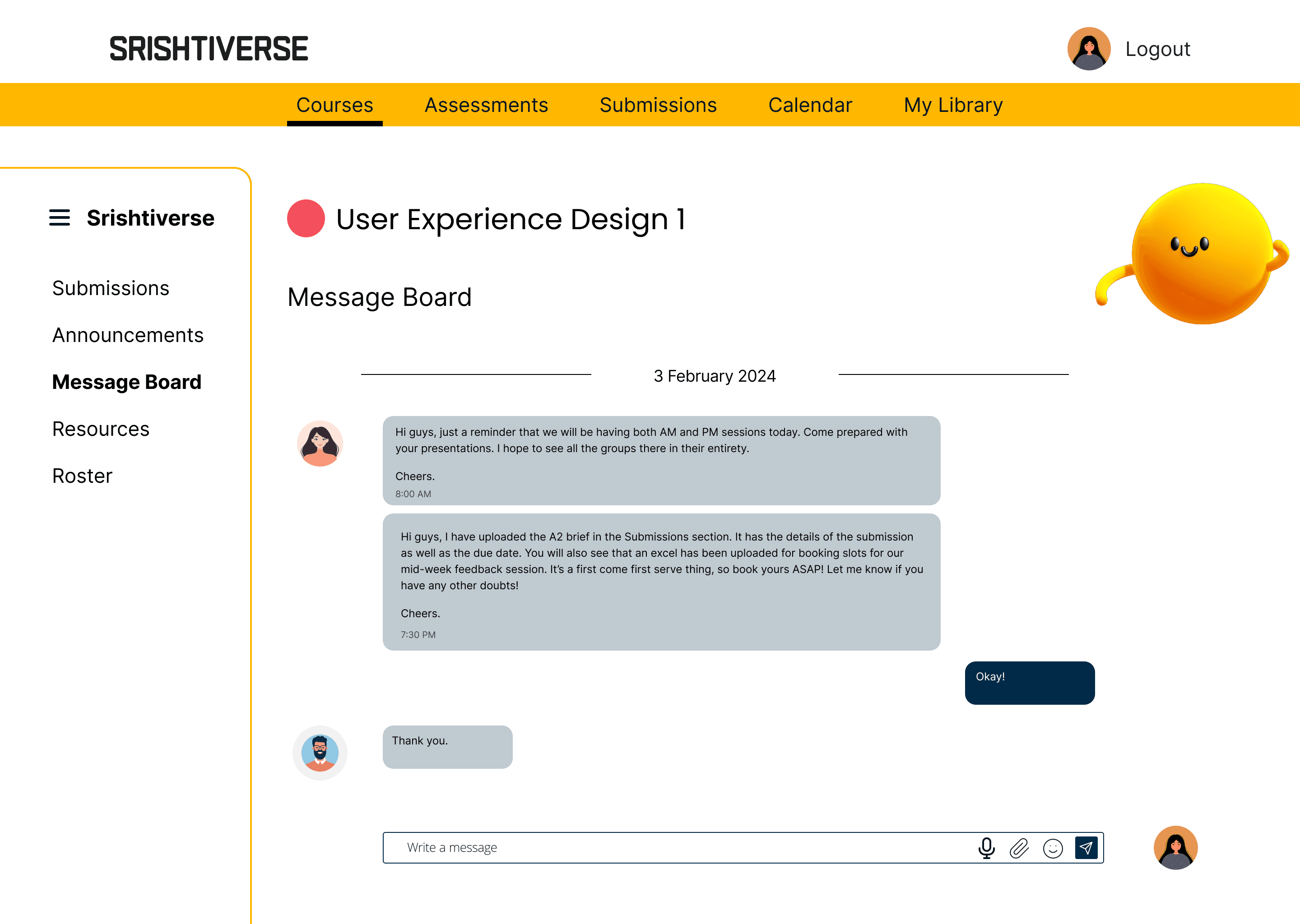
Message Boards for classes
Communication for classes currently occurs through multiple third party apps. Each class has its own preferred app for use, making the communication channels scattered. Message Boards for separate classes sets up communication channels in one place, making the student’s life more organized.
Message Boards for classes
Communication for classes currently occurs through multiple third party apps. Each class has its own preferred app for use, making the communication channels scattered. Message Boards for separate classes sets up communication channels in one place, making the student’s life more organized.
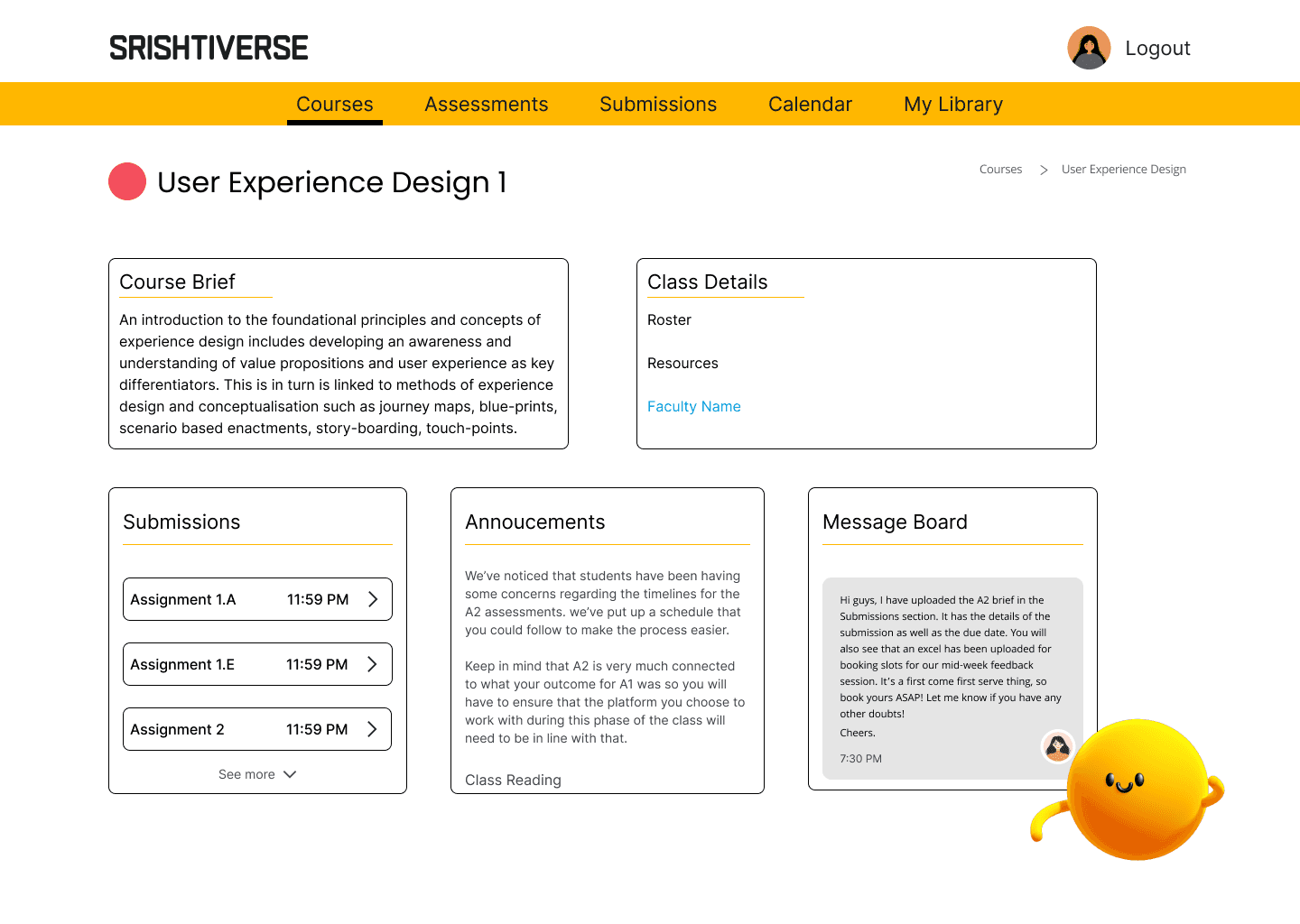
Course Dashboard
The redesign cut down the unused features from the web application and highlights the relevant sections used by students. The sections also give a small glimpse into the content to trigger recognition than recall in the users.
Course Dashboard
The redesign cut down the unused features from the web application and highlights the relevant sections used by students. The sections also give a small glimpse into the content to trigger recognition than recall in the users.
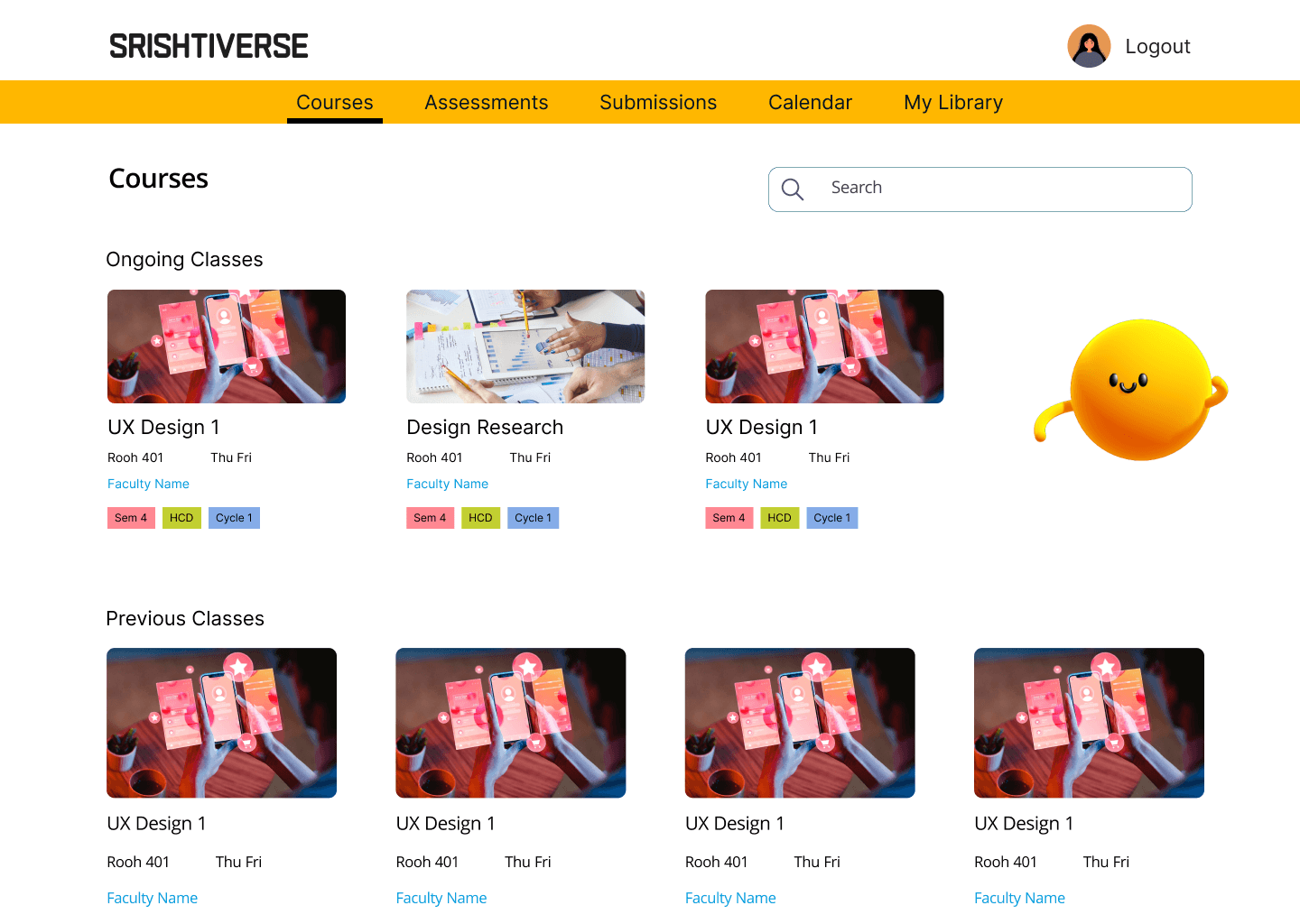
Courses Page
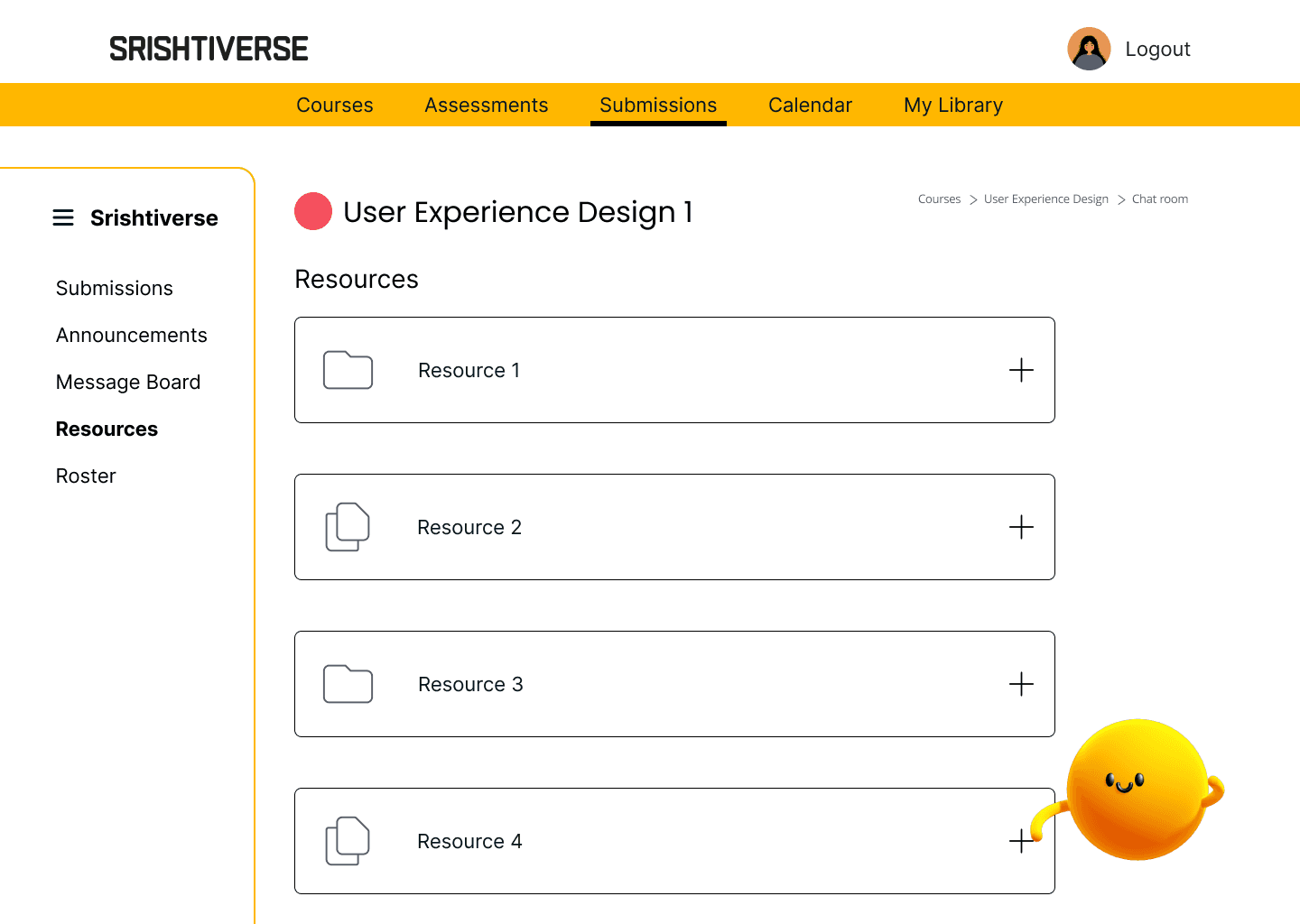
Resources Page
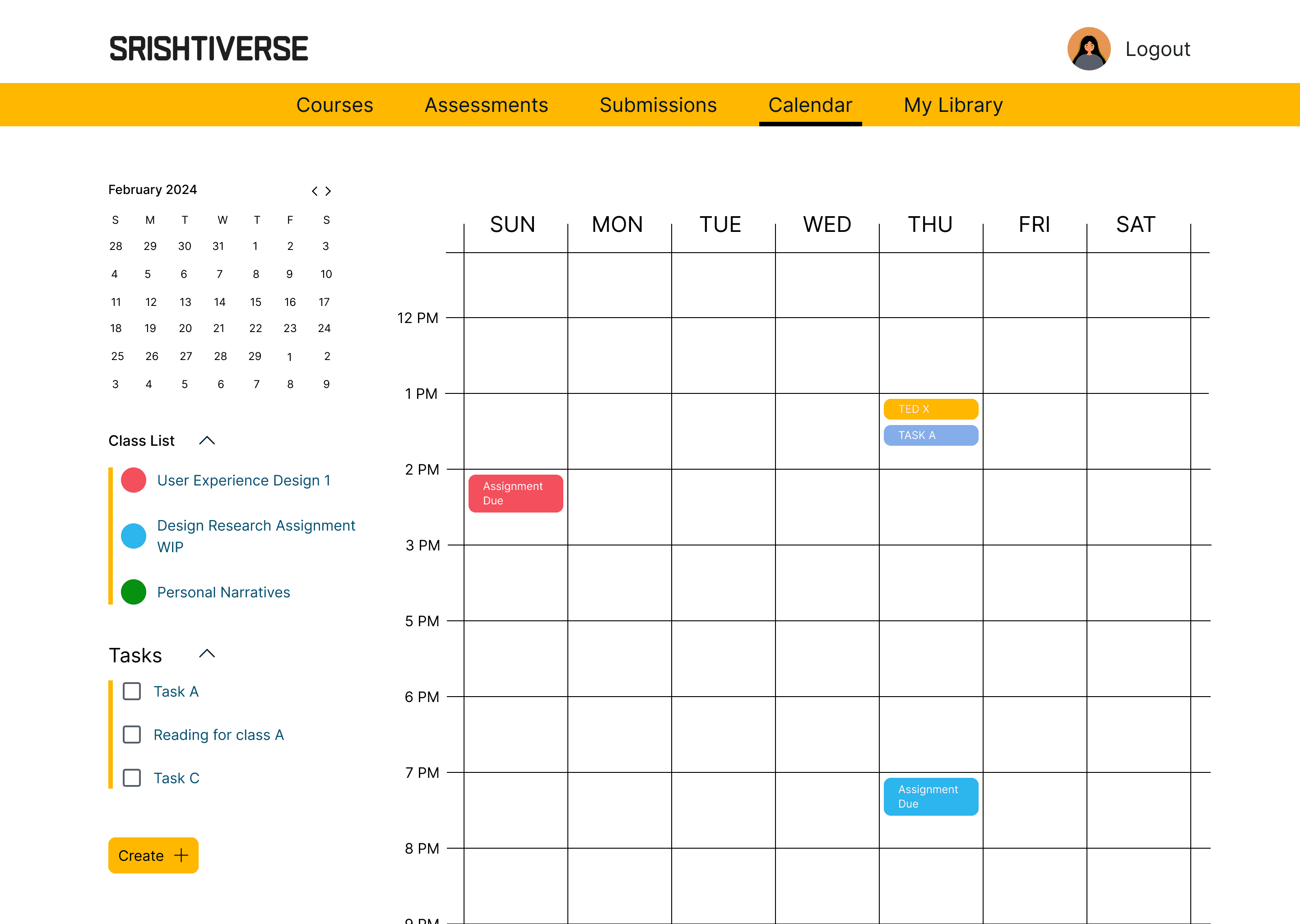
Calendar Page
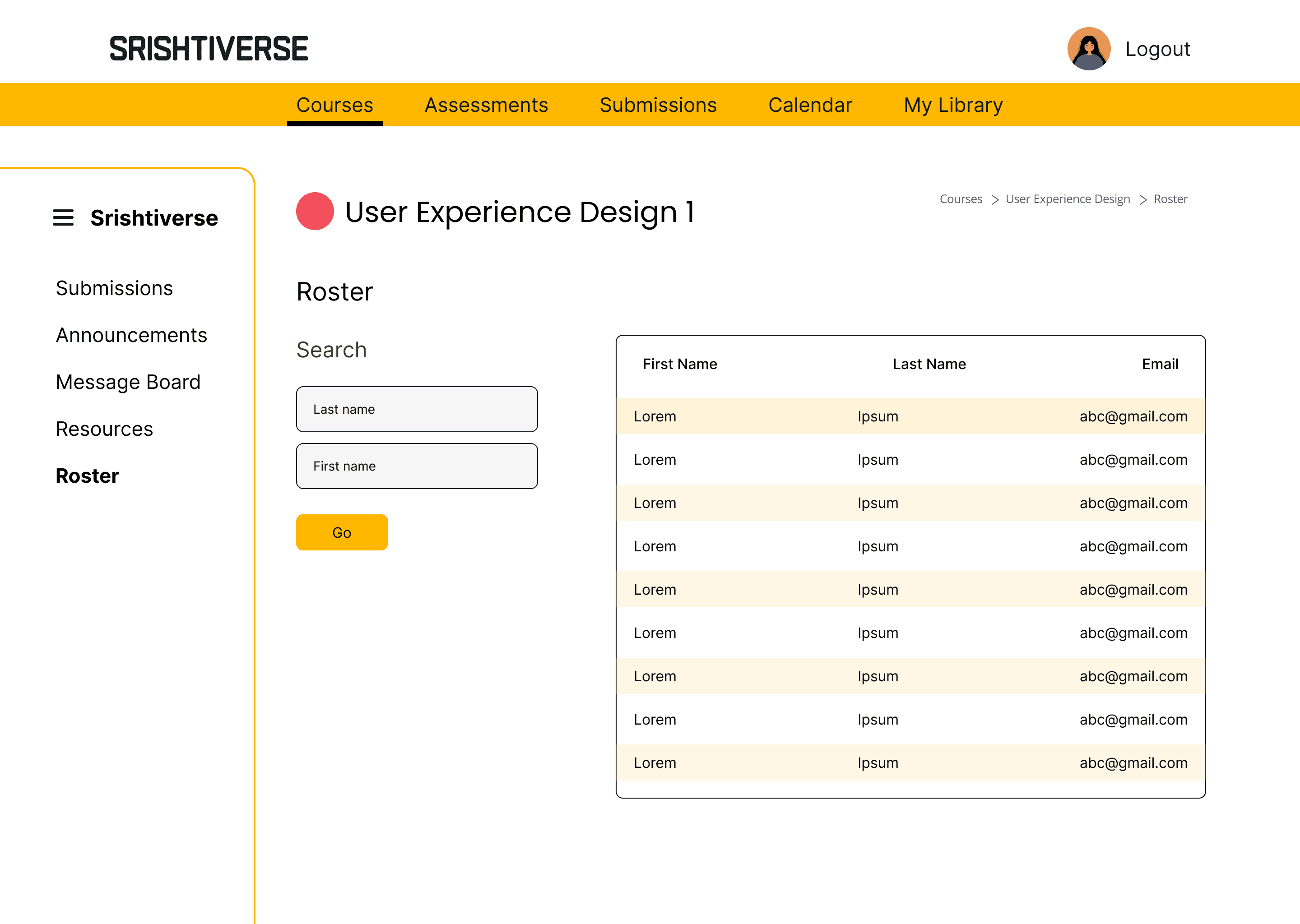
Roster Page
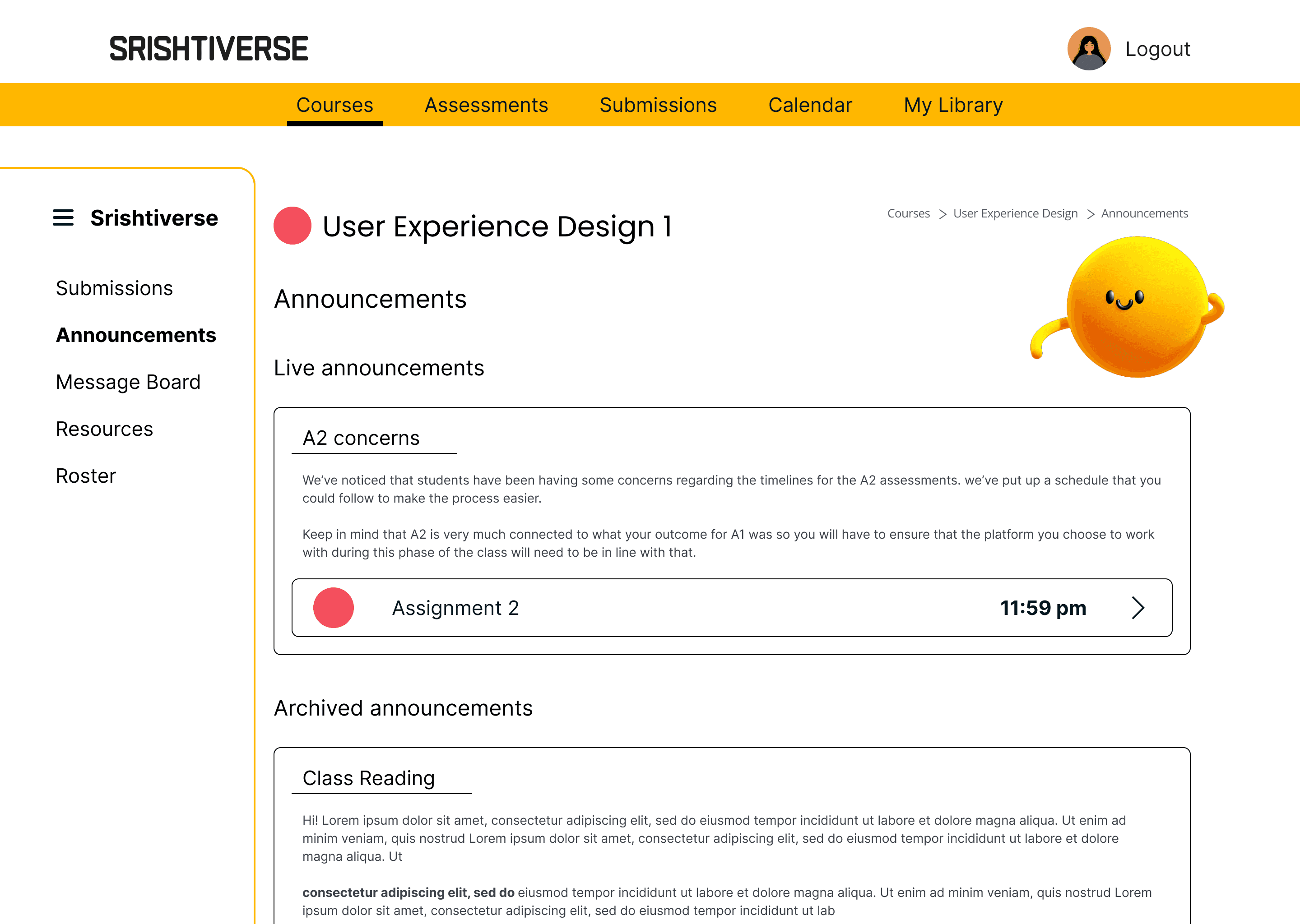
Announcements Page
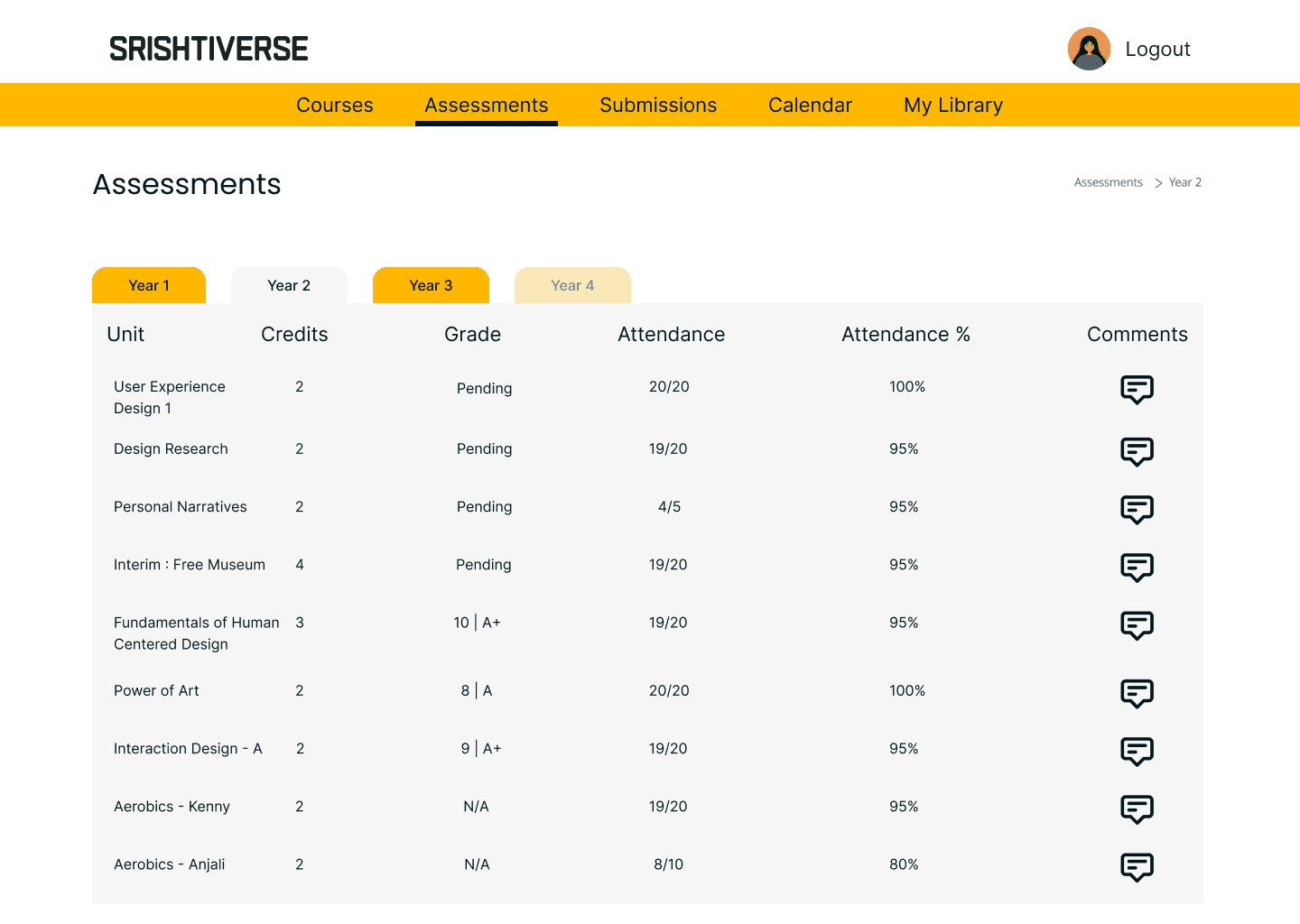
Assessments Page
What’s possible next?
What’s possible next?
Profile page has an inbox and chat space to allow for students to connect with one another as well
Adding multiple users for a folder on the My Library Page allowing students to share resources
Booking appointments with Faculty (even those that currently don’t teach students) via the website.
Creating a repository of all assignments and resources shared by/to students over the years so that they can download and save any work they wish to before graduating.
Creating a simple app for the same that would act as a touch point for the website. Giving students and alumni important updates without becoming as information heavy as the website could be.
Creating another layer to the website which can be accessed by both current students and alumni, to make the transition of student work from the portal to the alumni section easy. Making things like networking, asking for feedback or looking for collaborations easy.
Profile page has an inbox and chat space to allow for students to connect with one another as well
Adding multiple users for a folder on the My Library Page allowing students to share resources
Booking appointments with Faculty (even those that currently don’t teach students) via the website.
Creating a repository of all assignments and resources shared by/to students over the years so that they can download and save any work they wish to before graduating.
Creating a simple app for the same that would act as a touch point for the website. Giving students and alumni important updates without becoming as information heavy as the website could be.
Creating another layer to the website which can be accessed by both current students and alumni, to make the transition of student work from the portal to the alumni section easy. Making things like networking, asking for feedback or looking for collaborations easy.